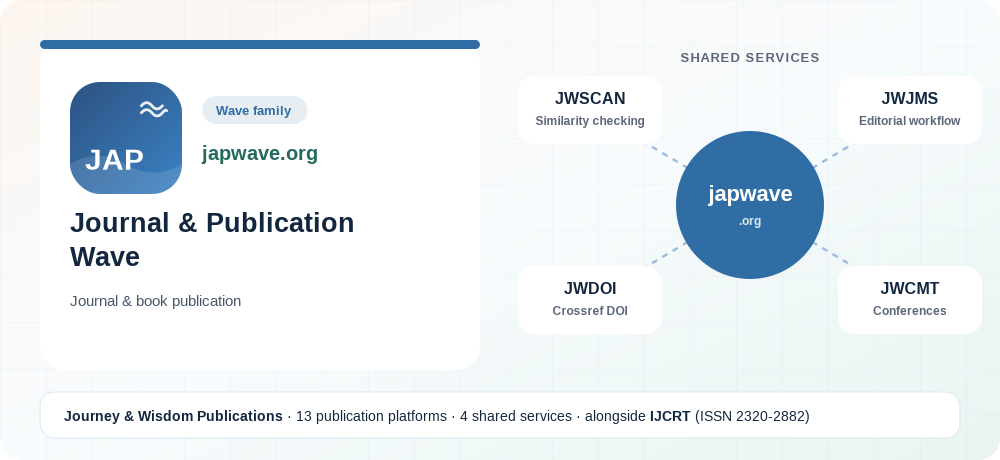
Wave family · Production after acceptance · Journey & Wisdom Publications
Journal & Publication Wave: What Happens After Acceptance — japwave.org
Journal & Publication Wave (JAPWave) carries the Journey & Wisdom group’s journals from manuscript to archive. It works as a journal platform and a knowledge hub at once: articles are published there, its guides walk authors through the production stages few of them ever see — copy-editing, typesetting, proofs, file formats, metadata and archiving — and any JW service can be ordered from it.
End to endFrom accepted manuscript to archived article
HubJournal platform plus production guides
Wave familyShares the family standard and services
3 galleysPDF, HTML and XML are the common formats
4 servicesJWSCAN, JWJMS, JWDOI and JWCMT behind production
japwave.orgJournals, process and charges on its own site
The platform
What Journal & Publication Wave Is
Journal & Publication Wave (japwave.org) — JAPWave for short — is the Wave-family platform defined by its route: it manages peer-reviewed articles and book projects end to end, from submission and review coordination through production, identifier registration and archiving. Like its sister hub sites, it serves as a journal platform and knowledge hub for the group’s journals, and the owner describes it as the place from which publication and all JW services are provided.
This page concentrates on the part of that route authors know least: the weeks between “accepted” and “published”. Acceptance feels like the finish line, but for a journal it is the start of a second process. The accepted manuscript has to be edited for consistency, laid out, turned into several file formats, described in machine-readable metadata, given identifiers, checked by the authors and preserved. Each step can introduce errors, and each one needs something from the author at the right time.
Below you will find what JAPWave provides, the production pipeline stage by stage, the anatomy of a published article’s record, who does what between author and production team, and the rules for proof corrections. Peer review itself is covered by the Journal Wave page on the Wave publishing standard, and what happens after an article goes live by the Research Wave page.
Point by point
What Journal & Publication Wave Provides
Twelve offers from the platform and its team, each tied to a stage of production.
Journals published end to end
The group’s journals on japwave.org run on one route from submission to archive, so an author deals with one platform rather than a chain of separate contacts.
A knowledge hub on production
Guides explain copy-editing, proofs, galleys, metadata and archiving in plain terms, so authors know what is being asked of them and why.
Copy-editing for consistency
Accepted texts are edited for spelling, grammar, style, reference format and internal consistency — not for content, which reviewers and editors have already judged.
Typesetting into publication layout
The edited text, figures and tables are laid out in the journal’s design, with page numbers, headers and citation information.
Proofs for author checking
Authors receive a proof to check for errors introduced in editing or layout. The proof stage is the last chance to correct the version of record before it is fixed.
Multiple file formats
Articles can be produced as PDF for reading and printing, HTML for screens and XML for machines; the guide on typesetting journal articles explains each.
Metadata and DOIs via JWDOI
Where a journal registers DOIs, JWDOI prepares and deposits the article metadata under the journal’s own prefix as part of publication.
Screening via JWSCAN before production
Editors can run accepted texts through JWSCAN for an iThenticate report so that overlap is fixed before typesetting, when changes are still cheap.
A production record in JWJMS
JWJMS keeps the accepted version, queries, proofs and approvals with the submission record, so the history of every change is traceable.
Book production via JW Book
Books follow a parallel production route — editing, layout, proofs, ISBN — through JW Book.
Proceedings production after JWCMT events
Accepted conference papers from JWCMT events move into a proceedings volume or journal issue through the same production steps.
Archiving and open access
Published content is preserved under the journal’s preservation plan, and Open Research Gate — part of the same network — offers repository deposit.
Stage by stage
The Production Pipeline After Acceptance
Eight stages between an accepted manuscript and an archived article. The dashed stages need the author’s active input.
Figure 1 — The production pipeline. Dashed stages (licence and author proof) need the author’s action; delays there are the most common reason a scheduled article slips.
Copy-editing: what it changes and what it leaves alone
A copy-editor makes the text consistent and correct: spelling and grammar, the journal’s style for numbers, units and abbreviations, the reference format, figure and table numbering, and cross-references between text and references. A good copy-editor does not change your argument or your findings. When a change might alter meaning, or information is missing — a reference with no year, a figure mentioned but not supplied — the copy-editor raises a query instead of guessing. Your job is to answer every query, briefly and clearly.
Typesetting and galleys
Typesetting turns the edited text into the journal’s layout. The outputs are called galleys: the PDF most readers download, an HTML version for reading on screen, and often an XML file in the JATS format — the NISO standard for journal articles, now at version 1.4 — that machines read. XML is what lets a journal produce the other formats consistently and send full text to archives and indexes. Not every journal produces all three; what matters is that the files agree with each other.
Metadata and identifiers
Metadata is the structured description of the article: title, authors with ORCID iDs, affiliations, abstract, keywords, dates, licence, funding, references and file links. Where the journal registers DOIs, this record is deposited with the registration agency and the DOI is pointed at the article’s landing page. Errors here travel: a misspelt author name in the deposit appears in every database that harvests it. That is why the author’s metadata check matters as much as the text proof.
What gets published
Anatomy of a Published Article Record
The citation readers copy is assembled from metadata fixed during production. Each labelled part comes from a different production step.
Figure 2 — An illustrative citation (names, journal and DOI are placeholders). Authors and title come from the accepted text, volume, issue and pages from scheduling and typesetting, the DOI from registration.
The figure shows why production order matters. Volume, issue and page numbers — or an article number for continuous publication — are only fixed when the article is scheduled and laid out. The DOI is registered once the landing page exists. If an author shares a “final” PDF before these are fixed, readers cite an incomplete reference that cannot be corrected later. Share the published landing page, not an earlier file.
Formats produced during publication and what each is for
Format
Main purpose
Who uses it
What the author checks
PDF
Fixed layout for reading, printing and citation
Readers, committees, repositories
Page layout, figures, equations, special characters
HTML
Reading on screens, links, accessibility
Readers on phones and browsers, search engines
Headings, tables, links, figure captions
XML (JATS)
Machine-readable full text and metadata
Archives, indexes, text-mining tools
Usually checked by the journal, not the author
Supplementary files
Data, code, extra tables or media
Readers who want to reuse or verify
Correct files attached and labelled
Landing page
The article’s permanent home and DOI target
Everyone; DOIs resolve here
Metadata, licence, dates, file links
Roles
Author and Production Team: Who Does What
Most production delays come from unclear expectations. These layers set out the normal division of responsibility.
Corresponding authorSpeaks for all authors
Final files
Licence form
Answers queries
Proof corrections
Checks published record
Co-authorsApprove what is published
Confirm names and affiliations
ORCID iDs
Agree licence
Read the proof
Copy-editorConsistency and correctness
Style and grammar
Reference format
Raises queries
Never changes findings
TypesetterLayout and files
Journal design
PDF and HTML
XML where used
Applies corrections
Production editorSchedules and publishes
Assigns issue or article number
Metadata and DOI deposit
Landing page
Archiving
Figure 3 — Who does what between acceptance and publication. In small journals one person may hold several production roles; the responsibilities stay the same.
The corresponding author is the single point of contact for production, just as for review. Production teams cannot chase five co-authors for five separate approvals, and conflicting corrections from different authors on the same proof cause errors. Collect everyone’s corrections internally, resolve disagreements, and send one set.
What you may change at proof stage
Allowed
Yes: errors
Typing errors, wrong symbols, misplaced figures, broken equations, incorrect table values carried over from the accepted text, and wrong author details.
Allowed
Yes: updated references
A reference cited as “in press” that has since been published can be updated with its volume, pages and DOI.
With approval
Ask first: small clarifications
A sentence that is ambiguous in layout. Explain the reason; the editor may approve a minimal change.
Not allowed
No: new results or arguments
New data, analyses, paragraphs or conclusions were not reviewed and cannot be added. They belong in a new paper or a later correction if essential.
Not allowed
No: new authors
Adding or removing authors at proof stage needs every author’s written consent and the editor’s approval under the authorship policy.
Not allowed
No: rewriting for style
Rewording paragraphs you now prefer creates new errors and delays. Mark only what is wrong.
Who uses it
Who Journal & Publication Wave Suits
Authors who want one venue start to finishResearchers who prefer one platform handling review, production and identifiers instead of coordinating several services.
First-time authors with an accepted paperPeople facing their first proof and licence form who want to know what each step means before they sign or approve.
Busy research groupsTeams that publish several papers a year and want production handled consistently so their records stay clean.
Book authors and editorsMonograph and edited-volume projects that need a production route with ISBN through JW Book.
Conference organisersCommittees whose accepted papers must be produced as a proceedings volume or a journal issue after a JWCMT event.
Editors improving production qualityJournal editors who want to bring copy-editing, galleys, metadata and archiving up to a consistent standard.
Step by step
Your Part in Production, Step by Step
Nine tasks for the author between acceptance and a correct published record. The journal’s own pages on japwave.org state its exact process and deadlines.
These are the steps you control. The production team handles editing, layout, deposit and archiving; your timely answers decide whether the article is published on schedule and whether the version of record is right.
Read the acceptance email in full — Note what the journal asks for next — final files, licence or agreement form, any charges and the deadline — and reply from the corresponding author’s address.
Supply clean final files — Send the accepted text as an editable file with all changes accepted, figures at the resolution the journal requests, tables as editable tables and supplementary files labelled clearly.
Complete the licence or agreement — Read which licence the article will carry and what rights you keep, then sign or accept it on behalf of all authors only if they have agreed.
Confirm every author’s metadata — Check spelling of names, order, affiliations, ORCID iDs, funding numbers and the corresponding-author email; these feed the DOI record and are hard to change later.
Answer copy-editor queries — Reply to each query in the manuscript or query list: confirm a reference, supply a missing detail, approve or reject a suggested rewording.
Check the proof for errors only — Read the typeset proof against your accepted text, mark errors clearly and return all corrections in one batch by the deadline; new content is not added at this stage.
Approve and wait for publication — Once corrections are applied, the article is scheduled; the journal publishes it with its landing page, files and identifiers as its policy states.
Check the published record — Open the landing page, test the DOI link if one is registered, download each file format and confirm that metadata, licence and dates are correct.
Report problems through the journal — If something is wrong after publication, write to the journal with the DOI and the exact error; changes to the version of record go through its corrections policy.
Production times vary with the journal’s schedule, the length of the article and how quickly authors answer queries and proofs, so this page gives no durations. If you need publication by a date, tell the journal when you return your final files, not at proof stage.
After publication
The Version of Record, Corrections and Archiving
Once published, the article becomes the version of record: the citable, fixed version. It is not silently edited afterwards. If an error is found, the journal publishes a correction linked to the article; serious problems are handled under its corrections and retraction policy. This fixity is what allows other researchers to cite the work with confidence. See how corrections are handled.
Archiving protects the version of record if a website changes or disappears. Journals use preservation services designed for this — for example, the PKP Preservation Network for journals on OJS, which is free for eligible journals, or subscription archives such as CLOCKSS and Portico. Where a journal registers DOIs, the registration agency can redirect a DOI to an archived copy if the original site goes offline. Ask the journal which preservation route it uses; a preservation policy should say.
Authors also have a role in preservation: deposit the version the journal’s policy allows in your institutional or subject repository, and keep your own copy of the final files. The repository side is covered on the Open Research Gate page.
Honest limits
What Production Can and Cannot Fix
What production does
Makes the accepted text consistent and correctly formatted
Produces readable, accessible and machine-readable files
Records accurate metadata and registers identifiers where offered
Gives authors a proof to catch errors before publication
Preserves the version of record
What it cannot do
Improve the science — that was the reviewers’ job
Add new results after acceptance
Correct metadata the authors confirmed wrongly without a notice
Speed up publication if proofs or forms come back late
Promise indexing because files are well produced
If anyone offers to “publish within 24 hours of acceptance”, ask what happens to copy-editing, proofs and metadata in that time. Careful production takes the time it needs; skipping it shows later as errors in the permanent record.
Contact
Asking About Publication or Production Help
Each journal on japwave.org states its own article charges. For JW services — production support, DOI metadata, journal management, book production or proceedings — there is no price list on this page; the team confirms scope and charges in writing first. JWSCAN publishes its own rates.
Ask about Journal & Publication Wave and JW production services
There is no fixed price list for this service: each journal, publisher or event starts from a different place, so the JW team replies with what it can do and a written quote. Describe your situation in a few lines.
How do I prepare final files after my paper is accepted?
Accept all tracked changes, remove comments, and send one editable text file matching the accepted version. Supply figures as separate high-resolution files in the formats the journal asks for, tables as editable tables (not images), and supplementary files with clear names. Check that every figure and table cited in the text is included.
How do I answer copy-editor queries?
Reply to each query where it appears, in a few words: “Confirmed”, “Year is 2024”, “Please keep original wording because...”. If a suggested change alters meaning, say so and propose a correct alternative. Leaving queries unanswered delays publication or forces the editor to guess.
How do I check a proof properly?
Read the proof against your accepted manuscript, not from memory. Check author names, affiliations, headings, every number in tables, equations, special characters, figure placement and captions, and references. Read it twice: once for sense, once slowly for detail. Mark each error clearly and return all corrections at once.
How do I mark corrections on a PDF proof?
Use the annotation tools for replace, insert and delete, placing each mark at the exact spot. If the journal provides a corrections form, list each change with page, line and the correct text. Avoid long comments; state precisely what should change.
How do I correct an author name or affiliation before publication?
Raise it at the final-files or proof stage, giving the exact correct form. Name and affiliation errors are easy to fix before publication and difficult afterwards, because they are copied into DOI metadata and every database that harvests it.
How do I know which licence my article will carry?
The journal states it in its policy and in the licence or agreement form you receive after acceptance. Read what you may do with your own article afterwards — reuse figures, deposit in repositories, translate — before signing. If a funder requires a specific licence, tell the journal at acceptance.
How do I check that my published article’s metadata is correct?
Open the landing page and compare title, authors, affiliations, dates and licence with what you approved. If a DOI is registered, resolve it at doi.org and search it on Crossref Search to see the deposited record. Report discrepancies to the journal with the DOI.
How do I report an error after publication?
Write to the journal with the article title, DOI, the exact error and the correction, from the corresponding author’s address. The editors decide whether a correction notice is needed. Do not post an altered version elsewhere as if it were the published article.
How do I prepare figures that survive typesetting?
Use the resolution and formats the journal requests, keep text in figures readable at final size, use colours that remain distinguishable in greyscale and for colour-blind readers, and label axes with units. The guide on graphical abstracts covers visual design.
How do I use the HTML and XML versions of my article?
Share the landing page, which links to every format, rather than attaching a PDF. The HTML is best for phone readers and accessibility; the XML is mainly for archives and indexes. Repositories often accept the PDF, but check the journal’s self-archiving policy for the version allowed.
How do I get production help for a journal or a book?
Send the title, the number of articles or pages, the formats you need and your schedule to editor@jetir.org (or WhatsApp +91 94260 33211). Book projects go through JW Book. Nothing starts until you have agreed a written scope and quote.
Ready to publish?
Submit your paper to JETIR
Peer-reviewed, open access, monthly · ISSN 2349-5162 · Crossref DOI · ₹1501 / $59 only after acceptance.
It is the end-to-end publication site of the Wave family (japwave.org): a journal platform where the group publishes its journals, a knowledge hub on how publication works, and a desk through which any JW service can be ordered.
What happens to my paper after it is accepted?
It goes through final-file preparation, licence, copy-editing, typesetting, an author proof, metadata and identifier registration, publication and archiving.
What is a galley?
A galley is a publication-ready file of the article, such as the PDF, HTML or XML version produced during typesetting.
Can I add new results at the proof stage?
No. The proof is for correcting errors. New results or arguments were not peer-reviewed and cannot be added after acceptance.
What is the version of record?
The final published version of an article, fixed at publication. Later changes are made through linked correction notices, not silent edits.
Is Journal & Publication Wave the same as JETIR?
No. They belong to the same network, but JETIR (ISSN 2349-5162) runs its own review, production schedule and fees.
What is JATS XML?
JATS is a NISO standard (version 1.4, published in 2024) for tagging journal articles in XML, used by archives and indexes to read full text and metadata.
Who registers the DOI for my article?
The journal does, under its own prefix, if it registers DOIs. JWDOI can prepare and deposit the metadata for journals that ask; JW is not a Crossref Sponsor.
How long does production take?
It depends on the journal’s schedule and how quickly authors return forms, query answers and proofs. This page does not quote durations.
Why should I share the landing page instead of the PDF?
The landing page holds the complete citation, the DOI, the licence and links to every format, and it stays current if a correction is issued.
Does good production help with indexing?
Accurate metadata and well-formed files make indexing technically easier, but indexing decisions belong to each database and cannot be promised.
Are JW production services priced on this page?
No. Production work differs from journal to journal, so the JW team sends a written quote once you describe the job (editor@jetir.org, WhatsApp +91 94260 33211).
Terms to know
Important Keywords
Terms you meet between an acceptance email and a correct, archived published article.
Journal & Publication Wave
japwave.org
production after acceptance
copy-editing
copy-editor queries
typesetting
galley proofs
author proof corrections
PDF HTML XML galleys
JATS XML
article metadata
landing page
version of record
licence agreement
author metadata check
DOI deposit
article number
corrections policy
digital preservation
PKP Preservation Network
supplementary files
end-to-end publication
knowledge hub
Publish your own research
Have a Paper Not Yet Submitted? JETIR Is Open
JETIR is a separate journal in the same network with its own review and production route. If your manuscript is finished and fits a multidisciplinary scope, start with its guidelines and submission page.
JETIR at a glance
Journal of Emerging Technologies and Innovative Research · ISSN 2349-5162 · monthly · since 2014
Transparent, double-blind peer review by subject reviewers
Open access under CC BY 4.0 · multidisciplinary scope
₹1501 (Indian authors) / US$59 (foreign authors), charged only after acceptance
Indian papers with more than 5 authors: ₹500 per extra author, incl. GST · no extra-author fee for foreign authors
Sister journals IJRAR, IJNRD, IJCRT and IJSDR are listed on our journals page
JETIR is a Transparent, Peer-Reviewed, Open Access Journal (Refereed Journal). Following the discontinuation of UGC and UGC-CARE journal listing, JETIR is aligned with UGC's Suggested Parameters for Choosing Peer-Reviewed Journals.
Ask the JW team about publication on japwave.org or production support for your journal, book or event. Paper still to submit? JETIR asks for its fee — ₹1501 in India or US$59 from abroad — only once a paper is accepted.
Publish in a UGC-aligned Peer-Reviewed Journal|Low Cost ₹1501 Indian Author|$59 USD InternationalPublish in a UGC-aligned Peer-Reviewed Journal|₹1501 Indian Authors|$59 USD InternationalUGC-aligned peer-reviewed journal · ₹1501 India · $59 Intl