JETIR Home › JW Ecosystem › JWCMT

Shared service · Conferences & proceedings · Journey & Wisdom Publications

JWCMT: Conference Management and Proceedings Publication — jwcmt.org

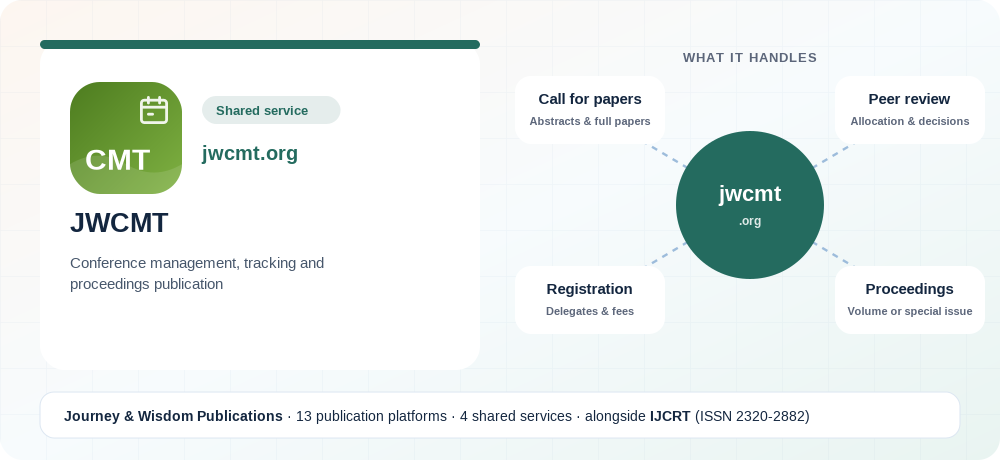
JWCMT, the Journal Wave Conference Management & Tracking System, is the network’s platform for running an academic conference from the first call for papers to the last certificate — and for carrying accepted papers on into a proceedings volume or a journal special issue without typing everything again.

  • Call for papers & submissions
  • Reviewer allocation
  • Registration & certificates
  • Proceedings route
JWCMT (jwcmt.org) conference management: call for papers, peer review, registration and proceedings around the jwcmt.org hub
End to endFrom the first call for papers to the final certificate
One recordEvery paper, review and decision kept in one place
ProceedingsRoute to an ISBN volume or a journal special issue
4 servicesCan call on JWSCAN, JWDOI and JW Book along the way
Per eventCharges confirmed in writing before you start
jwcmt.orgThe live conference platform

The product

What JWCMT Is and Why Conferences Need It

A conference is a compressed publishing operation. Hundreds of abstracts can arrive in the final week before a deadline, reviewers have days rather than months, decisions must reach authors on a fixed date, fees must be matched to the right people, and a programme has to be printed while the review is still settling. Most of the stress organisers feel comes from doing all of this across separate inboxes, forms and spreadsheets that do not talk to each other.

JWCMT (jwcmt.org) is the Journey & Wisdom answer to that problem: one conference platform that holds the submission, the review, the decision, the registration, the attendance record and the certificate for each participant. Because the record is shared, the step after the event — turning accepted papers into a published volume — starts from data that already exists instead of a folder of renamed files.

It is one of the four shared services of the network, next to JWSCAN for similarity checking, JWJMS for journal workflow and JWDOI for DOI registration support. JWCMT publishes nothing on its own. It manages the event and hands publication to a platform that does publish — a book imprint for proceedings, or a journal for a special issue — each of which applies its own standards.

This page describes what the platform provides as a product: its modules, who uses it, how an event runs through it, the publication routes after the event, and the limits you should know before you plan around it.

Point by point

What JWCMT Provides, Point by Point

Twelve things an organising committee gets from the platform and the JW team behind it.

  1. An event page that authors can trust

    A single public page for the conference: themes and tracks, important dates, organising and advisory committees, submission rules, fees, venue or online format and a contact address. Authors stop relying on forwarded posters and old PDFs, and the committee changes one source when a date moves.

  2. A call for papers that collects the right data

    Submission forms ask for what the committee actually needs later — title, abstract, keywords, track, every author with affiliation and email, the presenting author and, where relevant, ORCID iDs. Collecting it once at submission is what makes certificates and proceedings easy at the end.

  3. Abstract-first or full-paper submission

    Some events review abstracts and ask for full papers only after acceptance; others review full papers from the start. The workflow is set per event, and the two stages stay linked to the same submission number.

  4. Reviewer allocation with a record

    Track chairs assign reviewers by topic, follow up on late reviews and see every report against the paper. Reviewers work against a defined form, so reports are comparable and the reasons for a decision can be shown later.

  5. Decisions and author notifications

    Accept, accept with revisions, or reject — recorded with the date and the reviewer comments the author is allowed to see. Notifications go out from the same record, which ends the “which version did we send?” problem.

  6. Registration and fee collection

    Delegates, presenters and listeners register through the platform, and online fee payment can be connected so each receipt sits against a registration. Categories such as student, faculty, industry or international can be priced separately by the organiser.

  7. Programme and session building

    Only papers that are accepted and registered go into sessions, which removes the classic error of scheduling a paper whose author never paid or never confirmed.

  8. Attendance tracking

    Session check-ins are recorded on the day, giving the committee an honest attendance record for its institution, sponsors and funding body.

  9. Certificates from the record

    Presenter, participant, session-chair and reviewer certificates are generated from names and roles already stored, so spellings match the registration and nobody is issued a certificate for a session they did not attend.

  10. Similarity screening on request

    Papers heading for publication can be passed to JWSCAN for an iThenticate by Turnitin report before the final decision. Screening before publication is far cheaper than a correction after it.

  11. A route to proceedings

    After the event, accepted final papers can move into a proceedings volume with an ISBN through JW Book, or into a journal special issue that applies its own peer review. The metadata collected at submission travels with the paper.

  12. Optional DOIs and a clean archive

    If the publisher of the proceedings registers DOIs, JWDOI can prepare and deposit the metadata. The event record itself is kept so the committee can answer questions about it years later.

Architecture

The JWCMT Modules and How They Connect

Ten modules share one conference record. Each one reads what the previous one wrote, which is why nothing has to be typed twice.

JWCMT modules around one conference recordJWCMTone conferencerecordEvent pageThemes, dates, committees,feesCall for papersForms, tracks, deadlinesSubmissionsAbstracts and full papersPeer reviewAllocation, forms, remindersDecisionsAccept, revise, reject +noticesRegistrationDelegate categories and feesProgrammeSessions from acceptedpapersAttendanceCheck-ins on the dayCertificatesGenerated from the recordProceedingsHand-over to the publisherJWCMT modules around one conference recordJWCMTEvent pageThemes, dates, committees, feesCall for papersForms, tracks, deadlinesSubmissionsAbstracts and full papersPeer reviewAllocation, forms, remindersDecisionsAccept, revise, reject + noticesRegistrationDelegate categories and feesProgrammeSessions from accepted papersAttendanceCheck-ins on the dayCertificatesGenerated from the recordProceedingsHand-over to the publisher
Figure 1 — The ten JWCMT modules. Data entered at submission (titles, authors, affiliations) flows through review, registration and certificates into the proceedings hand-over.

Why one record matters more than any single feature

Most conference tools are good at one stage: a form builder collects abstracts, a spreadsheet tracks reviews, an email client sends decisions, a separate system sells tickets. The trouble starts at the joins. An author changes a title after review, but the certificate uses the old one. A co-author is added late, but the proceedings still list three names. Someone pays twice, someone not at all. A single record per paper and per person is what removes these joins, and it is the design idea the whole platform is built around.

For the organising secretary

One dashboard shows submissions by track, reviews outstanding, decisions sent, registrations paid and certificates issued — the numbers a principal or head of department asks for in every meeting.

For track chairs

Each chair sees only the papers in their track, assigns reviewers, reads reports and recommends a decision without exporting anything.

For reviewers

A short list of assigned papers, the review form and a deadline. Reviewers do not need to see author fees, registrations or other tracks.

For authors

A personal view of their submissions: status, decision letters, revision upload, registration and certificate download where the event offers it.

For delegates

Registration, payment confirmation, the programme and their participation certificate, even if they never submitted a paper.

For the publisher

A clean export of final papers with consistent metadata, ready for a proceedings volume or a special issue.

Who uses it

Who JWCMT Is For

The platform suits academic events of almost any size, but the people who gain most are the ones currently running everything by email.

College and university departmentsNational or international conferences, seminars and symposia run by a department, a research centre or an IQAC cell that needs a clean record for audits.
Professional and academic societiesAnnual meetings with several tracks, a standing programme committee and a membership that expects the same process every year.
Research groups and project teamsWorkshops attached to a funded project, where the funder asks for evidence of participation and outputs.
Student and doctoral colloquiaSmaller events where supervisors review abstracts and the committee changes every year — the system remembers what the last committee did.
Organisers planning proceedingsAnyone who already knows the papers must end up in a published, citable volume and wants the metadata right from day one.
Journal editors running special issuesEditors who receive a conference’s papers for a special issue and want them screened and documented before their own review starts.

Step by step

How a Conference Runs Through JWCMT

Nine stages, in the order they happen. The figure shows the same journey; dashed stages are optional services you add only if your event needs them.

Conference workflow on JWCMT1BriefEvent detailsand quote2Event pageThemes, dates,rules3Call forpapersAbstracts andpapers4ScreeningScope andJWSCAN check5ReviewReports anddecisions6RegistrationDelegates andfees7Event daySessions andattendance8ProceedingsJW Book orspecial issueConference workflow on JWCMT1BriefEvent details and quote2Event pageThemes, dates, rules3Call for papersAbstracts and papers4ScreeningScope and JWSCAN check5ReviewReports and decisions6RegistrationDelegates and fees7Event daySessions and attendance8ProceedingsJW Book or special issue
Figure 2 — The JWCMT conference workflow. The dashed stage (similarity screening) is optional; certificates are issued from the records created in stages 6 and 7.
  1. Send the event brief — Tell the JW team the conference title, organising institution, dates, tracks, expected number of papers and whether you want proceedings. You receive the scope of work and a written quote.
  2. Set up the event space — The conference page is created with the themes, important dates, committees, submission rules, fees and contact details, so authors read one authoritative source.
  3. Open the call for papers — Authors register and submit abstracts or full papers into the portal; each submission gets a reference number and an acknowledgement.
  4. Screen what arrives — Out-of-scope or incomplete submissions are filtered first; papers headed for publication can be sent for a JWSCAN similarity report.
  5. Allocate reviewers and decide — Track chairs assign reviewers, reviews come back against a form, and the decision — accept, revise or reject — is recorded and sent to the author.
  6. Register delegates and collect fees — Accepted authors and other delegates register; fee receipts are matched to registrations so the accounts close cleanly.
  7. Build the programme and run the event — Sessions are built from accepted, registered papers; attendance is recorded on the day.
  8. Issue certificates — Presenter, participant and reviewer certificates are generated from the records the system already holds.
  9. Publish the proceedings — Final papers move into a proceedings volume through JW Book, or into a journal special issue that runs its own peer review; DOIs can be added through JWDOI.

Timelines differ from event to event, so this page does not quote durations. As a rule of thumb, decide the proceedings route before the call for papers opens: the publisher’s requirements (template, length, licence, author agreement) should be in the call itself, not added after acceptance.

Permissions

Who Sees What: Roles Inside an Event

Good conference software is as much about what each person cannot see as what they can. These are the standard roles.

Organiser / convenerOwns the event
  • Event settings
  • Tracks and dates
  • Fees and categories
  • All reports
  • Certificates
  • Proceedings hand-over
Track chairRuns one track
  • Papers in own track
  • Assign reviewers
  • Read reports
  • Recommend decision
  • Session planning
ReviewerAssesses assigned papers
  • Assigned papers only
  • Review form
  • Declare conflicts
  • Deadline reminders
  • Reviewer certificate
AuthorSubmits and presents
  • Own submissions
  • Status and decision
  • Revision upload
  • Registration
  • Certificate
DelegateAttends
  • Registration
  • Payment receipt
  • Programme
  • Attendance
  • Participation certificate
Figure 3 — Role layers in a JWCMT event. Reviewers never see fees or other tracks; authors never see reviewer identities unless the event is run with open review.

Role separation is also what makes double-blind review possible at a conference. If reviewers see only the anonymised file and the form, and authors see only the comments the chair releases, the identities stay on the record without being exposed. Committees that prefer open review can run it that way, but the choice should be written into the call for papers so authors know before they submit.

After the event

From Accepted Paper to Published Proceedings

JWCMT manages the event; a publisher publishes. These are the routes the network offers, and what each one requires.

RouteWhat is publishedIdentifierWhat decides publication
Proceedings volume via JW BookAn edited proceedings book with the accepted full papersISBN for the volume; DOIs optionalThe volume editors and the book publisher’s own checks
Journal special issue (for example JETIR’s conference route)Selected papers as journal articlesThe journal’s ISSN; DOIs as the journal offers themThe journal’s own peer review — conference acceptance is not enough
Extended journal article laterA substantially expanded version of a conference paperJournal ISSN and DOINormal submission and review at the chosen journal
Abstract book onlyA book of abstracts for delegatesISBN if the organiser wants oneThe organising committee

Three facts help organisers choose. First, a one-off proceedings volume is a book: it is identified by an ISBN, and in India ISBNs are issued free through the national agency at isbn.gov.in. Second, a proceedings series that appears every year is treated as a serial and can carry an ISSN; Crossref asks for an ISSN for a series but not for a one-off volume, and strongly encourages an ISBN. Third, a journal special issue is not a shortcut: the journal reviews the papers again under its own policy, so some conference papers will not make it into the issue.

The practical advice is simple: choose the route before the call opens, put the publisher’s template and author agreement in the call, and tell authors honestly that presentation and publication are two different decisions. Guides on this site cover the details: starting a proceedings series, getting an ISBN for proceedings and proceedings versus a journal.

Compared

JWCMT Compared With Email, Forms and Spreadsheets

Most first-time organisers start with general tools. The comparison shows where those tools stop and a conference platform takes over.

What you needEmail + spreadsheetGeneral online formJWCMT
One record per paper from submission to proceedings✕◐ until submission✓
Reviewer allocation with deadlines and reminders◐ manual✕✓
Blind review without leaking identities◐ error-prone✕✓
Decision letters from the same record◐ copy-paste✕✓
Registration matched to accepted papers✕◐ separate form✓
Attendance record per session✕✕✓
Certificates generated from stored names✕✕✓
Similarity screening before publication◐ arranged separately✕✓ via JWSCAN
Hand-over to a proceedings publisher◐ files only✕✓ JW Book or journal
Audit trail for the institution✕◐✓
Figure 4 — Feature comparison. “Partly” means possible with extra manual work; general tools are named by type only.

None of this makes general tools bad. A small seminar with twenty abstracts can run well on a form and a spreadsheet, and the committee should not buy more process than it needs. The balance tips when there are several tracks, external reviewers, paid registration or a publication promise — at that point the cost of mistakes (a wrong name on a certificate, a paper scheduled without registration, a co-author missing from the proceedings) is higher than the effort of using a proper system.

Read before you plan

What JWCMT Does Not Do

What the platform and team do

  • Run the event workflow from call for papers to certificates
  • Keep a complete record of submissions, reviews and decisions
  • Pass papers to JWSCAN, JW Book and JWDOI when you ask
  • Explain the publication routes and what each one requires
  • Give you a written scope of work and quote before you commit

What it cannot promise

  • Indexing of the proceedings in any database — only the database decides
  • Publication of every accepted conference paper in a journal
  • A UGC, Scopus or other listing for an event or its volume
  • Live streaming or video hosting for online sessions (use a separate tool)
  • Academic judgement — decisions stay with your committee

If anyone offers a conference package with “guaranteed Scopus proceedings” or “guaranteed indexing”, treat it as a warning sign. Indexing services decide on their own criteria, and a promise made in advance cannot be kept honestly.

Charges

Charges and How to Get a Quote

JWCMT charges, if any, depend on what the event needs: the number of tracks and papers, whether registration fees are collected online, whether similarity reports are wanted, and which publication route follows. For that reason there is no public price list on this page. The JW team confirms the scope and any charges in writing before an event is set up, and publication charges for a proceedings volume or special issue are agreed separately with the publisher concerned.

Ask about running your conference on JWCMT

There is no fixed price list for this service: each journal, publisher or event starts from a different place, so the JW team replies with what it can do and a written quote. Describe your situation in a few lines.

Practical answers

How-To Questions About JWCMT

How do I set up a new conference on JWCMT?

Send a short brief to editor@jetir.org or on WhatsApp: conference title, organising institution, dates, tracks, expected submissions, fee categories and whether you want proceedings. The team replies with a scope and quote. Once agreed, the event page is configured with your themes, dates, committees and rules, and the call for papers can open.

How do I write a call for papers that attracts the right submissions?

Name the tracks precisely, give a word limit and template, state whether you review abstracts or full papers, give every deadline with a time zone, list the fees by category and say plainly what happens to accepted papers. Authors decide in seconds whether an event is serious; a vague call attracts vague papers.

How do I assign reviewers to conference papers fairly?

Recruit reviewers per track before the deadline, ask each for topic keywords, and assign at least two reviewers to each paper that may be published. Spread the load so no one gets twenty papers, set a realistic deadline and let the system send the reminders rather than a chair’s personal phone.

How do I handle conflicts of interest among reviewers?

Ask reviewers to declare conflicts (same institution, recent co-authorship, supervision) when they accept an assignment, and reassign the paper if they do. Organisers who also submit papers should have their own papers handled by another chair. Record the reassignment so the decision can be explained later.

How do I collect registration fees and keep the accounts clean?

Define fee categories before registration opens, connect online payment so every receipt is linked to a registration, and avoid side payments to personal accounts. At the end, reconcile receipts against the list of registered delegates; the platform’s registration report is the list the auditor will want.

How do I issue certificates to presenters, attendees and reviewers?

Agree the certificate wording and signatories early. After the event, certificates are generated from the stored names, roles and attendance, so presenters get a presenter certificate for the paper they actually presented, reviewers get one for the papers they reviewed, and spelling matches registration.

How do I build the programme and sessions from accepted papers?

Filter for papers that are both accepted and registered, group them by track and theme, then assign session chairs and time slots. Building from the record means a withdrawn or unpaid paper simply drops out instead of leaving a gap on the printed programme.

How do I publish conference proceedings with an ISBN?

Choose a proceedings publisher before the call opens — within the network that is JW Book. Use the publisher’s template, collect author agreements with the final papers, and have the volume editors check every paper. The publisher arranges the ISBN for the volume; DOIs can be added through JWDOI if the publisher registers them.

How do I get conference papers published as a journal special issue?

Contact the journal before the event and agree the scope, numbers and timeline. For JETIR this is done through the conference proposal page. Tell authors that the journal will review the papers again under its own policy and that publication charges, if any, are confirmed by the journal.

How do I register DOIs for conference papers?

DOIs are registered by the publisher of the proceedings or the journal, under its own prefix. If that publisher wants help with metadata and deposits, JWDOI can prepare the records. Each DOI needs its own landing page, so plan a page per paper rather than one PDF of the whole volume.

How do I screen conference papers for plagiarism?

Ask authors to submit text-based Word or PDF files, then send the papers you intend to publish to JWSCAN for an iThenticate by Turnitin report. Read the source breakdown, not only the percentage, and give authors a chance to fix properly cited but heavy overlaps before the final decision.

How do I run an online or hybrid conference with JWCMT?

Use JWCMT for everything around the sessions — submissions, review, registration, programme, attendance and certificates — and a separate video tool for the live sessions themselves. Put the session links in the programme for registered delegates only, and record attendance per session as you would on site.

How do I extend a conference paper into a journal article?

Add substantial new material — more data, deeper analysis, a fuller literature review — and cite the conference version. Tell the journal about the earlier paper in the cover letter. Journals treat an unchanged conference paper as duplicate publication, so the extension has to be real.

Ready to publish?

Submit your paper to JETIR

Peer-reviewed, open access, monthly · ISSN 2349-5162 · Crossref DOI · ₹1501 / $59 only after acceptance.

Questions

JWCMT — Frequently Asked Questions

What does JWCMT stand for?
JWCMT is the Journal Wave Conference Management & Tracking System, the conference platform of the Journey & Wisdom network, available at jwcmt.org.
Is JWCMT the same as JETIR's conference publication route?
No. JWCMT manages the event itself. JETIR’s conference route publishes selected papers as a journal special issue after JETIR’s own review, and is requested through the conference proposal page.
Can a college outside the JW network use JWCMT?
Yes. The shared services are available to organisers outside the network. The event stays yours: your committees, your decisions and your branding on the event page.
How much does JWCMT cost?
There is no public price list. Charges, if any, depend on the size of the event and the services it needs, and are confirmed in writing before set-up. Ask at editor@jetir.org or on WhatsApp +91 94260 33211.
Does JWCMT guarantee that proceedings will be indexed?
No. No platform can guarantee indexing; each indexing service applies its own criteria. JWCMT helps you produce complete, well-documented proceedings, which is what indexing services look for.
Will every accepted paper be published in a journal?
No. Acceptance for presentation and acceptance for publication are separate decisions. A journal special issue applies its own peer review, so some presented papers may not be published there.
Who owns the conference data?
The organising institution owns its event, its decisions and its participant data. The platform holds the record so the committee can use it; it is not used to publish anything without the organiser’s decision.
Can reviewers stay anonymous to authors?
Yes. Reviewers see only their assigned papers and the review form, and authors see only the comments the chair releases, so double-blind review is possible. Open review can be chosen instead if the call for papers says so.
Does JWCMT handle abstract-only conferences?
Yes. An event can review abstracts only and publish a book of abstracts, or review abstracts first and full papers later; the stages stay linked to one submission number.
Can participants get certificates without a paper?
Yes. Delegates who register and attend can receive a participation certificate generated from their registration and attendance record.
What should I prepare before contacting the JW team?
Conference title and dates, organising institution, tracks, expected number of submissions, fee categories, review model, and whether you want proceedings or a journal special issue.
Does a conference paper with a DOI count as a journal article?
No. A DOI identifies a published item; it does not change its type. A paper in a proceedings volume is a conference paper whether or not it has a DOI.

Terms to know

Important Keywords

Terms that come up when planning and running an academic conference on JWCMT.

  • JWCMT
  • jwcmt.org
  • conference management system
  • academic conference software
  • call for papers
  • abstract submission
  • full paper submission
  • conference peer review
  • reviewer allocation
  • track chair
  • conflict of interest
  • conference registration
  • registration fee collection
  • attendance tracking
  • e-certificates
  • conference programme
  • conference proceedings
  • proceedings with ISBN
  • journal special issue
  • conference paper DOI
  • similarity screening
  • hybrid conference
  • book of abstracts

Publish your own research

Presenting at a Conference? Publish the Full Study in JETIR

A conference paper is often the first public version of a study. When the full work is ready, JETIR accepts multidisciplinary research for transparent peer review — and organisers can ask JETIR about a conference special issue through its own proposal route.

JETIR at a glance

  • Journal of Emerging Technologies and Innovative Research · ISSN 2349-5162 · monthly · since 2014
  • Transparent, double-blind peer review by subject reviewers
  • Open access under CC BY 4.0 · multidisciplinary scope
  • ₹1501 (Indian authors) / US$59 (foreign authors), charged only after acceptance
  • Indian papers with more than 5 authors: ₹500 per extra author, incl. GST · no extra-author fee for foreign authors

Before you submit

JETIR is a Transparent, Peer-Reviewed, Open Access Journal (Refereed Journal). Following the discontinuation of UGC and UGC-CARE journal listing, JETIR is aligned with UGC's Suggested Parameters for Choosing Peer-Reviewed Journals.

Planning a conference this year?

Send the brief and get a written scope for running it on JWCMT. Have a finished research paper instead? Submit it to JETIR — ₹1501 for Indian authors or US$59 for foreign authors, charged only after acceptance.

Just ₹1501
Publish in a UGC-aligned Peer-Reviewed JournalLow Cost ₹1501 Indian Author$59 USD InternationalPublish in a UGC-aligned Peer-Reviewed Journal₹1501 Indian Authors$59 USD InternationalUGC-aligned peer-reviewed journal · ₹1501 India · $59 Intl
Submit Paper →
Support