JETIR Home › JW Ecosystem › JWJMS

Shared service · Journal management system · Journey & Wisdom Publications

JWJMS: Journal Management System, Tools and OJS Development — jwjms.org

JWJMS is the network’s journal management platform and technical team. It brings a journal online — new or existing — and runs the whole editorial operation: submission, peer review, decisions, email, payments, certificates and publication, behind current security practice, with AI-assisted checks that support editors rather than replace them, and Open Journal Systems development for journals that run OJS.

  • Add your journal
  • Peer review system
  • Payments, email & certificates
  • OJS development & plugins
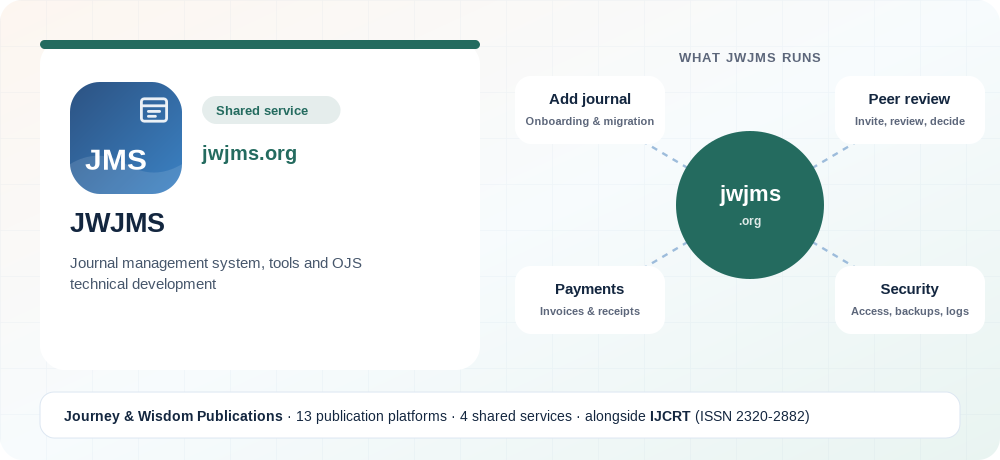
JWJMS (jwjms.org) journal management: onboarding, peer review, payments and security around the jwjms.org hub
Add your journalOnboarding for new titles and journals moving in
End to endSubmission, review, decision, payment, publication
OJS 3.5 LTSCurrent PKP long-term-support line (November 2026)
Role-basedSeparate access for authors, reviewers and editors
AI-assistedAutomation for checks and reminders; people decide
On quoteSet-up and support confirmed in writing

The product

What JWJMS Is

A journal is a set of promises — to authors, to reviewers and to readers — and the journal management system is where those promises are either kept or broken. Every submission must be acknowledged, screened, sent to suitable reviewers, decided on the evidence, paid for only when the policy says so, published with correct metadata and kept safe for years. JWJMS (jwjms.org) is the Journey & Wisdom platform and team that does this work for journals.

It has two forms, chosen per journal. JWJMS workflow is the network’s own managed journal management system, the same kind of editorial workflow that runs behind the network’s journals. OJS technical development is for journals that run, or want to run, Open Journal Systems — the free, open-source software from the Public Knowledge Project — and need it installed, upgraded, customised, extended with plugins and kept secure. Both forms share the same goals: a complete record of every decision, a smooth experience for authors and reviewers, clean metadata for discovery, and security that does not depend on luck.

JWJMS is one of four shared services in the network, alongside JWSCAN for similarity reports, JWDOI for DOI registration support and JWCMT for conferences. It connects to all three, so a journal on JWJMS can send a manuscript for an iThenticate report, deposit DOIs and receive a conference’s papers for a special issue without leaving its own workflow.

This page describes the platform as a product: what it provides, how a journal is added, how the workflow, peer review, security, payments, email, certificates and AI-assisted checks work, what OJS development covers, and the limits you should expect from any honest provider.

Point by point

What JWJMS Provides

Fourteen parts of the service. Journals choose the ones they need; nothing is bundled for the sake of it.

  1. Add-your-journal onboarding

    New journals are configured from a blank start; existing journals are moved in with their issues, articles, PDFs and identifiers. Onboarding ends with a test manuscript run end to end by your own editors.

  2. Online submission and author dashboards

    Authors register, submit through a guided form with a submission checklist, upload files, see the status of every manuscript and receive each letter in one place, with a reference ID for every paper.

  3. A configurable peer review system

    Double-blind, single-blind or open review; reviewer database with expertise keywords; invitations, reminders and review forms; conflict-of-interest declarations; anonymised files; and a decision history that survives staff changes.

  4. Editorial decisions on record

    Desk reject, send to review, revise, accept or reject — each decision is dated, linked to the reports it rests on and sent from a template the journal controls.

  5. Email that arrives

    Notifications from your own domain with proper authentication records, editable templates for every stage, and monitoring of bounced or rejected messages so authors are not left waiting for letters that never arrived.

  6. Payments and invoices

    Article processing charges raised only at the stage your policy sets (for example after acceptance), online payment collection through a payment plugin, receipts and invoices, waivers and discounts, and reconciliation reports for the publisher’s accounts.

  7. Certificates

    Publication certificates for authors and certificates for reviewers, generated from the record with a verification reference so anyone can confirm a certificate is genuine.

  8. Production and issue building

    Copy-editing and proof rounds, galley files, article pages and issue assembly, with publication scheduled from the same system that tracked the manuscript.

  9. Google Scholar-ready article pages

    Each article on its own page with full abstract visible, citation_title, citation_author, citation_publication_date and the other citation meta tags, a correctly sized PDF and browse-by-issue pages, following Google Scholar’s inclusion guidelines.

  10. Discovery and identifier exports

    Crossref or DataCite deposits (with JWDOI), an OAI-PMH endpoint for harvesters such as OpenAlex and CORE, DOAJ metadata export and ORCID integration.

  11. AI-assisted checks and automation

    Automated completeness checks, metadata extraction, reviewer suggestions by keyword, reminder scheduling and similarity-report requests — with every editorial decision left to people.

  12. Security and backups

    HTTPS everywhere, role-based access, one-time-password sign-in for editorial accounts, audit logs, upload validation, spam and bot protection, tested backups and a regular update routine.

  13. OJS technical development

    Installation, upgrades across versions, migration, themes, configuration and custom plugin development for journals on Open Journal Systems.

  14. Training, documentation and support

    Role-based training for editors and reviewers, written procedures for the journal’s own handbook, and support under an agreed plan after launch.

How it is built

The JWJMS Architecture, Layer by Layer

Five layers, from what readers see down to the infrastructure that keeps the journal running.

Public journal siteWhat readers and indexers see
  • Home, aims and scope
  • Editorial board
  • Policies
  • Current and past issues
  • Article pages with meta tags
  • Search
Portals by roleOne sign-in, different views
  • Author dashboard
  • Reviewer workspace
  • Editor and section editor
  • Production
  • Finance view
  • Administrator
Workflow engineRules the journal sets
  • Submission checklist
  • Desk screening
  • Review rounds
  • Decisions and letters
  • Payment triggers
  • Publication schedule
Plugins and integrationsConnections to the outside
  • Google Scholar meta tags
  • Crossref / DataCite export
  • ORCID
  • OAI-PMH
  • Payment plugin
  • Certificate plugin
  • JWSCAN requests
Infrastructure and securityInvisible until it fails
  • HTTPS
  • Role-based access
  • OTP sign-in
  • Audit logs
  • Backups
  • Updates and patching
  • Monitoring
Figure 1 — JWJMS architecture. Each layer can be configured per journal; the infrastructure and security layer is shared practice across every journal the team runs.

The design principle is separation. Readers never touch the editorial system; reviewers never see author fees; finance staff never see reviewer identities; administrators can see who did what and when. When something goes wrong — a disputed decision, a payment query, a suspected fake reviewer — the record already holds the answer.

Onboarding

How to Add Your Journal to JWJMS

The same seven steps apply to a brand-new title and to an established journal moving from email, spreadsheets or an old system.

Onboarding is where most of the long-term quality of a journal system is decided. A rushed set-up copies old problems into a new platform: unclear article types, review forms nobody reads, email templates with the wrong sender, policies that differ between the website and the workflow. JWJMS onboarding therefore starts from the journal’s written policies and builds the configuration from them, rather than the other way round.

  1. Send the journal profile — Title, ISSN (or application status), publisher, scope, frequency, editorial team, current website and current system, plus what you want JWJMS to run.
  2. Agree the scope and quote — The JW team proposes the set-up — JWJMS workflow or OJS — with modules, migration work, support level and a written quote.
  3. Configure the journal — Sections, article types, submission checklist, author guidelines, review model, review forms, email templates, roles and fee rules are set up to match your policies.
  4. Set up identity, email and payments — Your domain, sender addresses, email authentication, payment collection and invoice and certificate templates are connected and tested.
  5. Migrate existing content — For existing journals, published issues, article metadata, PDFs and DOIs are moved with their URLs preserved or redirected, and checked afterwards.
  6. Train the editorial team — Editors, section editors and support staff walk through a full test manuscript from submission to publication before going live.
  7. Go live and monitor — The submission page opens; backups, updates, security monitoring and support continue under the agreed plan.

For journals moving in, the most important rule is that nothing published is lost or renamed: every article keeps a working URL (or a permanent redirect), and any DOI already registered is updated to point to the new page before the old site is switched off.

The full journal workflow

The Journal Workflow, Submission to Publication

Manuscript workflow in JWJMS1SubmitChecklist andfiles2ScreenScope, format,similarity3ReviewInvite andcollectreports4ReviseRounds onrecord5DecideLetter fromtemplate6PayInvoice afteracceptance7ProduceCopy-edit andproofs8PublishArticle page,DOI, exportsManuscript workflow in JWJMS1SubmitChecklist and files2ScreenScope, format, similarity3ReviewInvite and collect reports4ReviseRounds on record5DecideLetter from template6PayInvoice after acceptance7ProduceCopy-edit and proofs8PublishArticle page, DOI, exports
Figure 2 — The manuscript workflow in JWJMS. The payment stage follows the journal’s own policy; at JETIR, for example, fees are charged only after acceptance.
  1. Submission

    A guided form collects the title, abstract, keywords, every author with affiliation and ORCID iD, the article type, declarations (ethics, funding, conflicts, AI use) and the files. An incomplete submission is caught at this point, not by an editor weeks later.

  2. Desk screening

    Editors check scope, structure and basic quality; a JWSCAN similarity report can be requested from inside the record. Clear desk decisions protect reviewers’ time.

  3. Review and revision

    Reviewers are invited from the database, reminded automatically and submit against the journal’s form. Each revision round is kept with its response letter, so the history of a paper is never reconstructed from inboxes.

  4. Decision and payment

    The decision letter goes from a template with the reviewers’ comments attached. If the journal charges fees, the invoice is raised at the stage its policy sets and the payment is matched to the manuscript.

  5. Production and publication

    Copy-editing, proofs and galleys lead to an article page with complete metadata and citation tags, then DOI deposit and discovery exports.

  6. After publication

    Corrections, retractions and updates are handled as records of their own, and certificates and usage information are available to authors.

Peer review system

The JWJMS Peer Review System

Peer review is the reason a journal exists. The system is built to make good review easy and bad review visible.

Review models

Double-blind, single-blind or open review, set per journal or per section, and stated on the public peer-review policy page so authors know before they submit.

Reviewer database

Reviewers with verified institutional emails, ORCID iDs, expertise keywords and a history of invitations, response times and completed reviews.

Invitations and reminders

Invitation, acceptance, reminder and overdue messages sent automatically on the journal’s schedule, so editors chase exceptions rather than everyone.

Structured review forms

Questions on originality, methods, results, ethics and presentation plus free comments for authors and confidential comments for the editor.

Anonymised files

Author names, document properties and tracked-change identities removed from files sent to reviewers in blind review.

Conflict declarations

Reviewers declare conflicts when they accept; editors with their own submissions are kept out of those papers’ handling.

Fake-reviewer safeguards

Checks on suggested reviewers’ emails and identities, because fabricated reviewer accounts are a known route for paper mills.

Reviewer recognition

Reviewer certificates and, where the journal chooses, ORCID-based recognition of review work.

Decision audit

Every decision linked to the reports and the editor who made it, so an appeal or complaint can be answered from the record.

Software does not create good reviewers; editors do. What a peer review system can do is remove the excuses — lost invitations, forgotten reminders, unreadable forms — and make the evidence for each decision available when it is questioned. Guides: setting up a peer review workflow and detecting fake reviewer identities.

Top-priority security

Security and Data Protection

A journal holds unpublished research, reviewer identities and payment records. Security is therefore a core feature, not an add-on.

Security controls around journal dataJournal datamanuscripts,reviews, paymentsHTTPS everywhereEncrypted traffic on everypageRole-based accessLeast privilege per roleOTP sign-inOne-time codes for editorsAudit logsWho did what, and whenUpload validationFile types checked andlimitedBot and spam protectionFake accounts blockedUpdates and patchesSecurity fixes appliedpromptlyTested backupsRestores rehearsed, notassumedPrivacy by designOnly the data the journalneedsSecurity controls around journal dataJournal dataHTTPS everywhereEncrypted traffic on every pageRole-based accessLeast privilege per roleOTP sign-inOne-time codes for editorsAudit logsWho did what, and whenUpload validationFile types checked and limitedBot and spam protectionFake accounts blockedUpdates and patchesSecurity fixes applied promptlyTested backupsRestores rehearsed, not assumedPrivacy by designOnly the data the journal needs
Figure 3 — Security controls around journal data. Each control addresses a real failure seen in journal systems: stolen editor passwords, fake reviewer accounts, malicious uploads, unpatched software and backups that never restored.
  1. Accounts and sign-in

    Editorial and administrator accounts use strong passwords with one-time-password verification, sessions expire, and repeated failed sign-ins are slowed down and logged.

  2. Least privilege

    Each person sees only what their role needs. Reviewers cannot browse other manuscripts; section editors see their sections; only named administrators change settings.

  3. Software currency

    Platforms and plugins are kept on supported versions. For OJS that means the current long-term-support lines; PKP lists 3.3.0-24 LTS with security fixes until at least 1 January 2027 and 3.5.0-6 as the newer LTS line.

  4. Backups that restore

    Database and files are backed up on a schedule and restores are tested, because a backup that has never been restored is a hope, not a plan.

  5. Data minimisation

    The system collects the personal data the journal actually needs and keeps reviewer identities and payment details away from public pages and exports.

  6. Incident handling

    If something does go wrong, logs show what happened, affected users are told, and the fix is recorded so it does not happen twice.

Money and messages

Payments, Email and Certificates

FunctionWhat JWJMS providesWhy it matters
APC invoicesInvoices raised at the stage the journal’s policy sets, with the manuscript IDNo author is asked to pay before the policy allows
Payment pluginOnline collection in the currencies the journal accepts, with receiptsPayments land against the right paper automatically
Waivers and discountsRecorded per manuscript with the reasonFair, consistent and auditable fee decisions
ReconciliationReports of paid, pending and waived chargesThe publisher’s accounts close without guesswork
Sending domainMail from the journal’s own domainAuthors trust and receive it; free webmail looks unprofessional
AuthenticationSPF, DKIM and DMARC records set up and checkedLetters reach inboxes instead of spam folders
TemplatesEditable letters for every workflow stageConsistent wording, fewer mistakes
Bounce monitoringUndelivered messages flagged to the editorNo decision silently fails to arrive
Certificate pluginPublication and reviewer certificates with a verification referenceCertificates can be checked, so they cannot easily be forged

Two principles guide this part of the system. First, money follows policy: if the journal says fees are charged only after acceptance, the software cannot ask earlier. Second, every message a journal sends is part of its reputation — a decision letter that lands in spam or comes from a personal address undermines trust in the review behind it. See why a journal needs its own email domain and accepting international APC payments.

AI automation, responsibly

AI-Assisted Automation in JWJMS

Automation takes over the repetitive checks so editors spend their time on judgement. It never makes the editorial decision.

TaskWhat automation doesWhat stays human
Submission completenessChecks for missing sections, declarations, author details and file problemsWhether the paper fits the journal
Metadata extractionPre-fills titles, authors, affiliations and references from the manuscript for checkingFinal metadata approval
Reference checksFlags references without DOIs, duplicates and formatting problemsWhether citations support the argument
Reviewer suggestionsRanks reviewers from the database by keyword match and past performanceWho is actually invited
Reminders and chasingSchedules reminders and escalates overdue reviews to the editorHow to handle a late or poor review
Similarity requestsSends manuscripts for a JWSCAN report at the stage the journal setsWhether overlap is plagiarism
Integrity signalsHighlights patterns such as reused reviewer emails or template-like textAny finding of misconduct
Letters and summariesDrafts routine letters and summaries of reviewer reportsThe decision and its wording

AI tools are assistants with known failure modes: they can be confidently wrong, and AI-writing detectors give likelihoods, not proof. JWJMS keeps a human editor responsible for every decision, keeps confidential manuscripts out of public AI services, and lets each journal publish its own AI-use policy for authors and reviewers, in line with COPE guidance and the DOAJ criteria on AI tools.

Open Journal Systems

OJS Technical Development and Plugins

For journals that run, or want to run, Open Journal Systems (OJS) from the Public Knowledge Project.

OJS is free, open-source software released under the GNU GPL v3. That makes it a sound base for a journal, but “free” describes the licence, not the work: someone still has to install it on a suitable server, keep it updated, configure it to the journal’s policies and fix it when a plugin breaks after an upgrade. JWJMS provides that technical work. As of November 2026 PKP lists OJS 3.5.0-6 (LTS), 3.4.0-12 and 3.3.0-24 (LTS); the README asks for PHP 8.2 or later with MySQL 5.7.22+, MariaDB 10.3+ or PostgreSQL 9.5+, and sites older than 3.3 must upgrade to 3.3 first.

Installation and hosting set-up

A clean OJS installation on a supported stack with HTTPS, scheduled tasks, email and file permissions configured correctly.

Upgrades

Planned upgrades across versions, with a staging copy, plugin compatibility checks and a rollback plan.

Migration

Moving a journal into OJS from another system or a static website, keeping URLs and DOIs working.

Themes and front end

A fast, mobile-friendly theme with the pages authors and indexers expect, and no heavy scripts slowing article pages.

Google Scholar plugin

Configuration and testing of the citation meta tags on every article page, with PDFs under 5 MB and browse pages reachable from the home page.

Crossref and DataCite plugins

Export plugins configured for the journal’s own prefix, so DOIs are deposited from inside OJS (with JWDOI).

Payment plugin

Online fee collection connected to the OJS payment workflow, with the fee stage set to match the journal’s policy.

Certificate plugin

Publication and reviewer certificates generated from OJS data, with a verification reference.

ORCID, OAI-PMH and DOAJ export

ORCID integration, a working OAI-PMH endpoint for harvesters, and DOAJ metadata export once the journal is listed.

PKP Preservation Network

Activating the free PKP PN plugin, which needs OJS 3.1.2 or later, an ISSN and at least one published article.

Custom plugins

Small, documented plugins for journal-specific needs, written to survive upgrades rather than patching core files.

Health checks

A review of an existing OJS site: version, plugins, security settings, email delivery, metadata tags and backups.

Compared

JWJMS Compared With the Alternatives

What you needEmail + spreadsheetSelf-installed OJSJWJMS-managed (workflow or OJS)
Complete, auditable decision history✕✓✓
Blind review without manual anonymising✕◐ depends on set-up✓
Automatic reviewer reminders✕✓✓
Payments matched to manuscripts✕◐ needs plugin set-up✓
Certificates with verification✕◐ needs plugin✓
Google Scholar meta tags on article pages✕✓✓ configured and tested
Security updates and backups✕◐ your responsibility✓ under the support plan
AI-assisted checks✕✕✓ with human decisions
Software licence costNoneNone (GPL v3)Set-up and support quoted
Technical skill needed in the teamLowHighLow
Figure 4 — Three ways to run a journal. Self-installed OJS is a strong option for teams with technical staff; JWJMS adds the configuration, security and support work.

The honest summary: a journal with a capable technical person can run OJS itself and should; that is what open-source software is for. JWJMS is for journals that would rather spend their time on editing than on servers, upgrades and email authentication — and for those that need features beyond a default installation. Read how to choose journal management software for a neutral checklist.

Who uses it

Who JWJMS Is For

New journalsFounders who want a professional workflow and article pages from the first issue rather than migrating later.
Journals leaving emailEstablished titles still running review through personal inboxes and spreadsheets.
OJS journals needing helpJournals on an old or broken OJS installation that need an upgrade, a health check or new plugins.
University and society publishersDepartments and societies running several journals that want one standard of security and process.
Publishers charging APCsJournals that need fees, waivers, invoices and receipts handled correctly and in line with policy.
Editors with integrity concernsJournals worried about fake reviewers, paper mills or disputed decisions, who need a reliable record.

Honest limits

What JWJMS Does Not Promise

What JWJMS gives a journal

  • A configured workflow that follows the journal’s own policies
  • Article pages and metadata built to indexers’ published guidelines
  • Current security practice, backups and updates under a support plan
  • Clear records that make decisions, payments and certificates verifiable

What no journal system can promise

  • Indexing in Scopus, Web of Science, DOAJ, PubMed or any other service
  • A UGC or other listing — listing bodies decide on their own rules
  • Good editorial decisions — those depend on the editors
  • Ownership of your journal — the title, content and data remain yours

Be cautious of any provider that sells journal software together with guaranteed indexing. Indexing services evaluate the journal’s content and practice, not its software, and none of them sells inclusion.

Charges

JWJMS Charges and Quotes

JWJMS work is quoted per journal because journals differ so much: a new title with one section and no fees needs a fraction of the set-up of a society journal with several sections, payments, back issues to migrate and an old OJS installation to upgrade. The quote states the set-up work, the support plan and anything that depends on third parties, such as payment provider fees, so there are no surprises later.

Ask about running your journal on JWJMS

There is no fixed price list for this service: each journal, publisher or event starts from a different place, so the JW team replies with what it can do and a written quote. Describe your situation in a few lines.

Practical answers

How-To Questions About JWJMS

How do I move my journal from email and spreadsheets to JWJMS?

Collect your current policies, review forms and letter templates, list the manuscripts in progress, and send them with your journal profile. The team configures the workflow, imports the in-progress manuscripts with their history, and your editors run a test paper before you announce the new submission page.

How do I set up double-blind peer review in JWJMS?

Choose double-blind as the review model, publish it in your peer-review policy, ask authors to upload an anonymised main file, and let the system remove names and document properties from reviewer copies. Check a sample file before inviting the first reviewer.

How do I build a reliable reviewer database?

Invite reviewers with institutional emails and ORCID iDs, record their expertise keywords, and track their response times and review quality. Be careful with author-suggested reviewers: verify their identity independently before inviting them.

How do I collect APCs only after acceptance?

Set the payment trigger to the acceptance decision, so the invoice is created only when an editor accepts the paper. Publish the same rule on your fees page so authors see one consistent policy.

How do I make sure journal emails do not go to spam?

Send from the journal’s own domain, set up SPF, DKIM and DMARC records, avoid sending from free webmail, and watch bounce reports. JWJMS sets up and tests these records during onboarding.

How do I issue verifiable publication certificates?

Use the certificate plugin to generate certificates from the article record, each with a verification reference that anyone can check on the journal site. Certificates generated from the record cannot carry a wrong title or author list.

How do I configure the Google Scholar plugin in OJS?

Enable the plugin, fill complete article metadata (title, all authors, publication date, journal title, volume, issue, pages, ISSN, PDF link), keep PDFs under 5 MB with selectable text, and check the citation meta tags on a few article pages. There is no application form; Google’s crawler finds pages that follow its guidelines.

How do I upgrade an old OJS installation safely?

Make a full backup, copy the site to a staging server, check every plugin for compatibility, upgrade the copy first and test submission, review and publication. Sites older than OJS 3.3 must first reach 3.3. Only then upgrade the live site, with a rollback plan ready.

How do I connect DOIs to my journal system?

Once your journal has its own Crossref or DataCite prefix, configure the export plugin with your credentials and DOI pattern so each issue is deposited from the system. JWDOI can set this up and check the first deposits.

How do I use AI tools in the editorial workflow responsibly?

Use automation for checks, reminders and drafting routine text; keep decisions, reviewer selection and misconduct findings with editors; never paste confidential manuscripts into public AI services; and publish an AI-use policy for authors and reviewers.

How do I protect editor accounts from being hacked?

Require strong passwords and one-time-password verification for editorial roles, give each person their own account, remove accounts when people leave, and review the audit log for unusual sign-ins.

How do I preserve my journal's content long term?

On OJS, activate the free PKP Preservation Network plugin once the journal has an ISSN and at least one published article. Keep your own tested backups too, and consider paid archives such as Portico or CLOCKSS as the journal grows.

How do I prepare my journal for indexing applications?

Make sure policies, editorial board, peer-review description, licence and fees are on the website and match the workflow; publish regularly; and keep metadata complete. JWJMS can configure the system to these requirements, but the indexing decision rests with each service.

Ready to publish?

Submit your paper to JETIR

Peer-reviewed, open access, monthly · ISSN 2349-5162 · Crossref DOI · ₹1501 / $59 only after acceptance.

Questions

JWJMS — Frequently Asked Questions

What is JWJMS?
JWJMS (jwjms.org) is the Journey & Wisdom journal management platform and technical team: a managed editorial workflow for journals, plus Open Journal Systems installation, upgrades, plugins and support.
Is JWJMS the same as OJS?
No. OJS is free open-source software from the Public Knowledge Project. JWJMS offers its own managed workflow and also provides technical development and support for journals that choose OJS.
Can I add an existing journal to JWJMS?
Yes. Existing journals are onboarded with their issues, articles and identifiers migrated, URLs preserved or redirected, and DOIs updated to the new pages.
Does JWJMS support double-blind peer review?
Yes. Double-blind, single-blind and open review can be configured, with anonymised reviewer files, conflict declarations and a full decision history.
Can JWJMS collect publication fees?
Yes. A payment plugin collects fees at the stage the journal’s policy sets, issues receipts and records waivers, so payments are matched to manuscripts.
How secure is JWJMS?
Security is a core feature: HTTPS, role-based access, one-time-password sign-in for editorial accounts, audit logs, upload validation, bot protection, prompt updates and tested backups.
Does JWJMS use AI to accept or reject papers?
No. Automation handles checks, reminders, metadata and reviewer suggestions; every editorial decision is made by a person.
Will JWJMS get my journal indexed in Scopus or Web of Science?
No provider can promise that. JWJMS sets up the policies, pages and metadata indexing services look for; each service makes its own decision.
Does the journal own its data on JWJMS?
Yes. The journal’s title, content, records and data remain the journal’s, and can be exported if it moves elsewhere.
How much does JWJMS cost?
There is no public price list. Set-up, migration and support are quoted in writing after a look at the journal. Ask at editor@jetir.org or WhatsApp +91 94260 33211.
Which OJS versions does JWJMS work with?
Current supported lines, as listed by PKP in November 2026: 3.5.0-6 (LTS), 3.4.0-12 and 3.3.0-24 (LTS). Older sites are upgraded via 3.3.
Can JWJMS issue reviewer certificates?
Yes. Reviewer certificates are generated from completed reviews, each with a verification reference, and journals can also recognise review work through ORCID.

Terms to know

Important Keywords

The journal-management vocabulary used on this page.

  • JWJMS
  • jwjms.org
  • journal management system
  • add your journal
  • online manuscript submission
  • peer review system
  • double-blind review
  • reviewer database
  • editorial workflow
  • Open Journal Systems
  • OJS upgrade
  • OJS plugin development
  • Google Scholar plugin
  • citation meta tags
  • payment plugin
  • APC invoices
  • certificate plugin
  • email authentication
  • role-based access
  • OTP sign-in
  • AI-assisted editorial checks
  • OAI-PMH
  • PKP Preservation Network
  • journal security

Publish your own research

See a Managed Workflow From the Author Side: JETIR

JETIR runs on the network’s editorial workflow: online submission, transparent double-blind review, decisions on record and fees only after acceptance. Authors with a finished paper can follow the same path.

JETIR at a glance

  • Journal of Emerging Technologies and Innovative Research · ISSN 2349-5162 · monthly · since 2014
  • Transparent, double-blind peer review by subject reviewers
  • Open access under CC BY 4.0 · multidisciplinary scope
  • ₹1501 (Indian authors) / US$59 (foreign authors), charged only after acceptance
  • Indian papers with more than 5 authors: ₹500 per extra author, incl. GST · no extra-author fee for foreign authors

Before you submit

JETIR is a Transparent, Peer-Reviewed, Open Access Journal (Refereed Journal). Following the discontinuation of UGC and UGC-CARE journal listing, JETIR is aligned with UGC's Suggested Parameters for Choosing Peer-Reviewed Journals.

Ready to bring your journal onto JWJMS?

Send the journal profile and what you want the system to run; the JW team replies with a set-up plan and a written quote. Authors with a finished paper can submit it to JETIR.

Just ₹1501
Publish in a UGC-aligned Peer-Reviewed JournalLow Cost ₹1501 Indian Author$59 USD InternationalPublish in a UGC-aligned Peer-Reviewed Journal₹1501 Indian Authors$59 USD InternationalUGC-aligned peer-reviewed journal · ₹1501 India · $59 Intl
Submit Paper →
Support