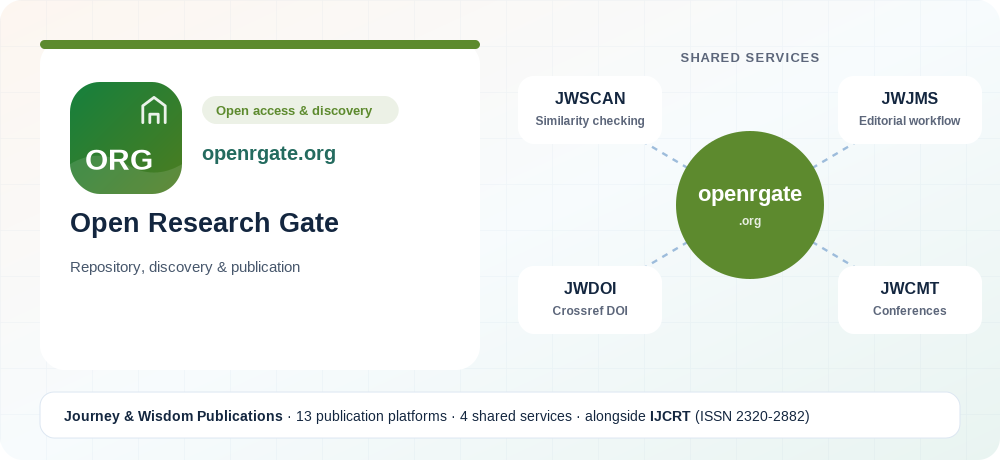
Open access & discovery · Researcher gateway · part of the Journey & Wisdom network
Open Research Gate: Preprints, Deposits and Discovery for Researchers — openrgate.org
OpenRGATE is the researcher-facing half of the network’s open-access pair: a free repository where preprints, published papers, theses and conference papers can be deposited and kept findable, with records exposed over OAI-PMH, and a gateway that helps authors find papers and choose journals on evidence. It is part of the same Journey & Wisdom network as ORWave and JETIR.
OAI-PMHStandard protocol other services can harvest
Journal finderCompare venues on ISSN, review and indexing evidence
Same networkSister platform of ORWave, like JETIR
openrgate.orgThe live repository and gateway
The gateway
What OpenRGATE Is and Whom It Serves
Same network. OpenRGATE (openrgate.org) and its sister platform ORWave (orwave.org) are platforms of Journey & Wisdom Publications, the network that also publishes JETIR. A deposit or a finder entry on OpenRGATE is the network archiving or describing content; treat it as a useful extra and say so when you cite it.
Research leaves a trail of versions: a draft shared with colleagues, a preprint posted before review, the accepted manuscript, the published article, a conference version, a thesis chapter. OpenRGATE (openrgate.org) is built for that trail. The network describes it as its free open-access repository and journal-discovery platform: it archives scholarly content for long-term access, exposes its records over OAI-PMH — the standard protocol repositories use to share metadata — and offers a journal finder that compares venues on evidence rather than advertising. The JETIR blog’s guide lists research papers, preprints, theses and dissertations, and conference papers as the content it archives free of charge.
The two platforms of the pair face different users. ORWave faces journals: it keeps journal records, calculates its own evaluation score and issues evaluation documents. OpenRGATE faces researchers: it is where an author deposits outputs, keeps versions linked, finds related papers and checks a journal before submitting. This page stays on the researcher side.
Two other platforms are close neighbours. ScholarRPN looks after the researcher’s identity record — linking ORCID, profiles and the details that tie outputs to one person. Research Wave covers dissemination after publication. OpenRGATE is the deposit-and-discover layer between them.
Point by point
What OpenRGATE Offers a Researcher
Twelve things a researcher can do with the gateway, with the condition that applies to each.
Deposit a preprint
Share findings before peer review, with a dated public record that shows priority. The record says plainly that the work has not yet been reviewed.
Deposit an accepted or published paper
Add a second open copy of work already published, where the licence or agreement allows it, linked back to the version of record and its DOI.
Archive a thesis or dissertation
Keep a thesis findable outside a single university system, subject to your university’s rules on deposit and embargo.
Archive conference papers
Give a presented paper a stable record, especially when the event published no proceedings of its own.
Keep versions linked
Record the relation between a preprint, the accepted manuscript and the published article so readers find the reviewed version first.
Metadata that other services can harvest
Records are exposed over OAI-PMH. Harvesters can collect them, but each service decides for itself which sources it includes.
Find related papers
Search deposited work by title, author or subject to see what has been archived on a topic, including preprints that are not yet in journals.
Choose a journal on evidence
The journal finder compares venues on ISSN, review process and indexing claims, so an author can test a journal’s statements before submitting.
Your deposits gathered together
The owner describes the gateway as covering scholar profiles and research management: an author’s deposited outputs can be seen together. Check openrgate.org for the current author-page features.
A simple way to manage outputs
One canonical deposit per output, with clean metadata, makes it easier to answer funders, institutions and co-authors who ask what exists and where.
Open access for readers
Readers can open deposited files without a subscription, which matters most for researchers whose institutions cannot pay for access.
Bulk or institutional deposits on request
Departments, research groups and conference organisers with many items can ask the JW team about depositing them together.
Which file to deposit
Preprint, Accepted Manuscript, Version of Record: Three Versions, Three Rules
Most mistakes in self-archiving come from depositing the wrong version. Each version has a name, a status and its own sharing rule.
PreprintBefore peer review
Author’s own text
Not reviewed — say so
Check the target journal’s preprint policy
Update the record when published
Accepted manuscriptAfter review, before publisher formatting
Includes reviewers’ changes
Sharing depends on the agreement
Embargo may apply
Link to the final DOI
Version of recordThe published, formatted article
Lives on the journal’s site
Shareable if open licence allows
CC BY: share with credit
Cite this version
Figure 1 — Three versions of a paper. Each can be deposited only under its own rule; the version of record always stays on the journal’s site and carries the DOI.
If a paper was published under CC BY — as JETIR’s articles are, under CC BY 4.0 — the published PDF itself can be deposited with credit, and there is little reason to deposit any other version. Where a journal has taken copyright or uses a restrictive licence, the agreement usually says which version may be shared and when. Read it before you deposit; the site’s guide to sharing a published paper online explains the common terms.
Preprints need one extra decision. Journals differ on whether they will consider a manuscript that has already been posted as a preprint, and some disciplines expect preprints while others rarely use them. Check the target journal’s policy before you post, mention the preprint in your cover letter when you submit, and update the preprint record with the journal reference once the paper is published, so that readers are not left reading the unreviewed text.
Choosing the right place
Repository, Preprint Server, Researcher Network or Journal?
Four kinds of place where research can appear, compared by type. They do different jobs, and only one of them publishes after peer review.
What you need
Open repository (OpenRGATE)
Preprint server
Researcher networking site
Peer-reviewed journal
Peer review before appearing
✕
✕ screening only
✕
✓
Main purpose
Archiving and access
Early sharing of findings
Personal profile and contacts
Validated publication
Records harvestable by standard protocol
✓ OAI-PMH
◐ varies by server
✕
◐ if the journal exposes OAI-PMH
Counts as the version of record
✕
✕
✕
✓
Holds published papers as extra copies
✓ where the licence allows
✕
◐ uploads by authors
✕
Helps choose a journal
✓ journal finder
✕
✕
✕
Part of the Journey & Wisdom network
✓ sister of ORWave
✕
✕
◐ JETIR and network journals only
Figure 2 — Four places to share research, by type. Repositories and preprint servers are not publication; a researcher networking site is a profile, not an index.
The practical rule follows from the table. Publish findings in a peer-reviewed journal, because that is where they are validated and cited. Use a preprint to share early when your field accepts it. Use a repository to keep extra open copies and a stable record of every output, including those that never become articles — a thesis, a conference paper, a technical report. Use researcher networking sites, if you like them, as a shop window, remembering that they are neither indexes nor archives.
Step by step
Depositing a Preprint or Paper, Step by Step
Seven steps from choosing the version to linking the deposit to your researcher record.
Figure 3 — The deposit route. Steps 6 and 7 are what turn a file in a repository into a connected part of your research record.
Decide which version you are depositing — A preprint (before peer review), an accepted manuscript (after review, before the publisher’s formatting) or the published version of record. Each has different rules.
Check that you may share it — For a preprint, check the target journal’s preprint policy. For an accepted manuscript or published version, check the licence or your agreement; CC BY allows sharing with credit.
Prepare the metadata — Title, every author in the published order with ORCID iDs if you have them, abstract, keywords, date, licence and, for published work, the journal, volume, issue and DOI.
Deposit the file and record — Upload a text-based PDF with the metadata. Use one file per output; do not bundle several papers into one deposit.
Check the live record — Confirm the title, author order, spelling of names, licence and links. Open the record as a reader would and download the file.
Link it to the version of record — When a preprint is published, add the journal reference and DOI to the deposit so readers are sent to the reviewed version.
Add it to your researcher record — List the deposit in your ORCID record and your institutional profile, so the output is connected to you everywhere it is listed.
Depositing is free according to the publisher’s description of OpenRGATE. Bulk or institutional deposits are arranged with the JW team, who confirm the scope in writing first.
Discovery
How a Deposited Record Can Travel
A repository record is useful mainly because other services can read it. These are the routes, and what each one depends on.
Figure 4 — Ways a deposit can be found. Each outside service decides independently whether to include a source; exposing records makes harvesting possible, not certain.
Two facts keep expectations honest. First, harvesters such as BASE and CORE collect metadata from OAI-PMH sources, and OpenAlex can harvest repositories too, but each decides which sources it includes; OpenAlex notes that matching is weaker for records without DOIs (OpenAlex help). Second, Google Scholar indexes what it can crawl on pages that follow its guidelines, one paper per page, with the full text or abstract visible. A repository copy can help a paper be found, but the strongest record of a published article is still its DOI and the journal’s own article page.
For that reason, always link a deposit to the version of record. A preprint that never mentions the published article splits a paper’s readers and citations in two; a deposit that carries the DOI sends readers to the reviewed version and lets citation services join the two records. The site’s guide on making papers more discoverable covers the other habits that help.
Journal finder
Using the Gateway to Choose a Journal on Evidence
The journal finder compares venues on ISSN, review process and indexing claims. Each claim can also be checked at its source in a minute or two.
A publisher you can identify and contact, stated fees, licence on every article
The finder is a starting point that saves time; the checks above are what make the choice safe. They matter most for indexing claims, which is where questionable journals mislead authors most often — listing logos of services that are not indexes, or presenting Google Scholar presence as if it were selective. Remember too that the gateway belongs to the same network as JETIR and the other network journals, so treat its listing of those journals the way you would treat any publisher describing its own titles, and verify. The site’s guide to verifying indexing status explains each check in more detail.
Keeping your outputs in order
Research Management for One Researcher: Keeping Outputs in Order
Repositories reward the same habits that funders, examiners and promotion committees reward. Six of them make most of the difference.
One canonical deposit per output
Do not upload slightly different copies in several places as if they were the same work. Keep one deposit, update its record, and link other copies to it.
Names written the same way everywhere
Use one form of your name, with your ORCID iD, on every deposit and every submission. Variant spellings are the main reason outputs fail to connect to their authors.
Metadata you would be happy to have quoted
A clear title, a real abstract, accurate keywords and the full author list in the published order. Harvesters copy what you write.
Every output, not only articles
Theses, conference papers, technical reports and datasets are part of your record. Deposit or register them so they can be cited and counted.
A versions log
Note when each preprint was posted, where it was submitted and where it was published. Editors, co-authors and later you will all need that history.
A yearly check
Once a year, search for your own outputs on the gateway and the main discovery services, fix broken links and add the missing DOIs.
Identity linking — connecting ORCID, Google Scholar and institutional profiles so that every output lands on the right person — is the subject of the ScholarRPN page. OpenRGATE handles the outputs; ScholarRPN handles the person they belong to.
Who uses it
Who Uses the Gateway
Early-career researchersA free, stable record for preprints, conference papers and the thesis while journal articles are still in review.
Authors of published open-access papersA second open copy of each article, linked to its DOI.
Doctoral candidatesThesis deposit outside a single university system, within the university’s own rules.
Authors choosing a journalAn evidence-based finder, followed by the independent checks in the table above.
Research groups and departmentsBulk deposit of a group’s outputs, arranged with the JW team.
LibrariansRecords available through OAI-PMH for harvesting with standard tools.
Honest limits
What OpenRGATE Does Not Do
OpenRGATE does
Archive papers, preprints, theses and conference papers for long-term access
Expose its records over OAI-PMH
Help authors compare journals on evidence
Give each output another open, stable record
Say clearly that it belongs to the same network as ORWave and JETIR
OpenRGATE does not
Peer-review deposits — a deposit is not a publication
Replace the journal’s page as the version of record
Guarantee that BASE, CORE, OpenAlex or Google Scholar harvest a record
Index anything in Scopus, Web of Science or DOAJ
Count as a recognised preservation service for a journal
A repository record is sometimes advertised elsewhere as “indexing” for a paper. It is not: it is an open copy and a metadata record. Describe it that way on a CV.
Bulk and institutional deposits
Asking About Bulk or Institutional Deposits
Individual deposits are free according to the platform’s own description. A department, research group or conference with many items to archive at once should describe the collection — number of items, types, licences, available metadata — and the JW team will confirm what is possible and any terms in writing.
Ask about depositing a collection in OpenRGATE
There is no fixed price list for this service: each journal, publisher or event starts from a different place, so the JW team replies with what it can do and a written quote. Describe your situation in a few lines.
How do I post a preprint without hurting my chance of journal publication?
Check the target journal’s preprint policy first; many accept manuscripts that were posted as preprints, some do not. Post the version you are about to submit, mark it clearly as not peer-reviewed, and mention the preprint in your cover letter. When the paper is published, add the journal reference and DOI to the preprint record so readers move to the reviewed version.
How do I know which version of my paper I am allowed to deposit?
Look at the licence on the published article and at the agreement you signed. Under CC BY you may deposit the published PDF with credit. If you transferred copyright, the agreement usually allows the preprint and sometimes the accepted manuscript, possibly after an embargo. If the terms are unclear, ask the journal in writing before depositing.
How do I deposit my thesis in OpenRGATE?
Check your university’s rules on deposit, embargo and third-party material first. Then deposit a text-based PDF of the approved thesis with the title, your name as it appears on the degree record, supervisor, institution, year, abstract and keywords. If chapters have since been published as articles, add their DOIs to the record.
How do I link a preprint to the published article?
Edit the preprint record to add the journal title, volume, issue, year and the article’s DOI, and a note that the reviewed version is available there. Use the DOI as a full https://doi.org/ link. Do not replace the preprint file with the published PDF unless the licence allows it.
How do I write repository metadata that harvesters read correctly?
Use the full title exactly as in the paper, list every author in the published order with one consistent name form and ORCID iDs, write a real abstract rather than the first paragraph, add precise keywords, and include the licence and DOI. Avoid putting several papers in one record, because one record per output is what harvesters and citation services expect.
How do I use the journal finder to shortlist journals?
Filter by your subject, then compare the shortlisted journals on ISSN, review process and indexing claims. For each one, confirm the ISSN at the ISSN Portal, look the journal up in the Crossref title list, open two or three of its DOIs, and check any indexing claim at the indexing service’s own site before submitting.
How do I check whether my deposit has been picked up by other services?
Search for the exact title in the services that harvest repositories and in Google Scholar after a few weeks. If the paper has a DOI, search by the DOI too. If it is missing, check that the record is public, the file opens, and the metadata is complete; remember that each service decides which sources it includes.
How do I cite a preprint correctly?
Give the authors, year, title, the words “Preprint” and the repository or server name, and the persistent link. If the preprint has since been published, cite the published version instead, or both if you used something only in the preprint.
How do I keep track of all my research outputs?
Keep one list of every output with its type, status, date, venue and identifier, and update it whenever anything changes. Deposit each output once, link versions to each other, and mirror the list in your ORCID record. A yearly check for broken links and missing DOIs keeps the record trustworthy.
How do I deposit conference papers from an event that published no proceedings?
Deposit each paper separately with the event name, place and date in the metadata and the presenting authors in the published order. Say in the record that it is a conference paper and was not published in proceedings. If the paper is later expanded into a journal article, link the two.
How do I make my deposited paper count on my CV?
List it under the right heading — preprint, thesis, conference paper or published article with an open copy — and give the repository link. Do not describe a deposit as a publication or as indexing; evaluators check, and accurate labels protect your credibility.
How do I arrange a group or departmental deposit?
Prepare a list of the items with their types, licences and metadata, and confirm that every author agrees. Then contact the JW team at editor@jetir.org or on WhatsApp with the list; they confirm the route and any terms in writing before the deposit starts.
Ready to publish?
Submit your paper to JETIR
Peer-reviewed, open access, monthly · ISSN 2349-5162 · Crossref DOI · ₹1501 / $59 only after acceptance.
Open Research Gate (openrgate.org) is the free open-access repository and research gateway of the Journey & Wisdom network, for depositing preprints, papers, theses and conference papers and for finding papers and journals.
Is OpenRGATE part of the same network as JETIR?
Yes. OpenRGATE and its sister platform ORWave are Journey & Wisdom platforms, like JETIR.
Is depositing in OpenRGATE the same as publishing?
No. A repository archives and shares; a journal publishes after peer review. A deposit should be described as a deposit.
Is depositing free?
The publisher describes OpenRGATE as a free open-access repository. Bulk or institutional deposits are arranged with the JW team.
Can I deposit a paper already published in a journal?
Yes, if the licence or your agreement allows it. Under CC BY 4.0 the published version can be shared with credit.
Will OpenRGATE get my paper into Google Scholar?
It can help a paper be found, but Google Scholar decides what it indexes. The journal’s own article page and DOI remain the strongest record.
What is OAI-PMH?
The Open Archives Initiative Protocol for Metadata Harvesting, a standard way for repositories to share metadata with harvesters such as BASE, CORE and OpenAlex, each of which decides what to include.
How is OpenRGATE different from ORWave?
OpenRGATE serves researchers with deposits, preprints and discovery; ORWave serves journals with records, its own evaluation score and evaluation documents. Both are in the same network.
How is OpenRGATE different from ScholarRPN?
OpenRGATE holds your outputs; ScholarRPN looks after your identity record and the links between your profiles and identifiers.
Can OpenRGATE index my paper in Scopus or Web of Science?
No. Those databases evaluate journals, not individual papers, and decide for themselves. A repository record is not indexing.
Does OpenRGATE peer-review preprints?
No. Preprints are shared before peer review and should be read and cited as such.
Is a researcher networking site the same as a repository?
No. A networking site is a personal profile where authors upload papers; it is neither an index nor an archive with a standard harvesting protocol.
Terms to know
Important Keywords
Terms researchers meet when they deposit, share and find work through OpenRGATE.
OpenRGATE
openrgate.org
Open Research Gate
open research gateway
open-access repository
preprint deposit
accepted manuscript
version of record
self-archiving
green open access
thesis deposit
conference paper archive
OAI-PMH
BASE and CORE harvesting
OpenAlex
paper discovery
journal finder
choose a journal on evidence
research output management
scholar profile
link preprint to DOI
ORCID works list
Publish your own research
Publish the Version of Record First: Submit to JETIR
A repository copy works best when there is a reviewed, published version to link to. JETIR — in the same network as OpenRGATE — publishes open access under CC BY 4.0, so its articles can be deposited with credit.
JETIR at a glance
Journal of Emerging Technologies and Innovative Research · ISSN 2349-5162 · monthly · since 2014
Transparent, double-blind peer review by subject reviewers
Open access under CC BY 4.0 · multidisciplinary scope
₹1501 (Indian authors) / US$59 (foreign authors), charged only after acceptance
Indian papers with more than 5 authors: ₹500 per extra author, incl. GST · no extra-author fee for foreign authors
Sister journals IJRAR, IJNRD, IJCRT and IJSDR are listed on our journals page
JETIR is a Transparent, Peer-Reviewed, Open Access Journal (Refereed Journal). Following the discontinuation of UGC and UGC-CARE journal listing, JETIR is aligned with UGC's Suggested Parameters for Choosing Peer-Reviewed Journals.
Deposit your preprints, theses and published papers on OpenRGATE, or ask about a group deposit. Ready to publish the reviewed version? Submit to JETIR — ₹1501 for Indian authors or US$59 for foreign authors, charged only after acceptance.
Publish in a UGC-aligned Peer-Reviewed Journal|Low Cost ₹1501 Indian Author|$59 USD InternationalPublish in a UGC-aligned Peer-Reviewed Journal|₹1501 Indian Authors|$59 USD InternationalUGC-aligned peer-reviewed journal · ₹1501 India · $59 Intl