JETIR Home › JW Ecosystem › JWSCAN

Shared service · Plagiarism & similarity checking · Journey & Wisdom Publications

JWSCAN: iThenticate Similarity Reports for Papers, Theses and Books — jwscan.org

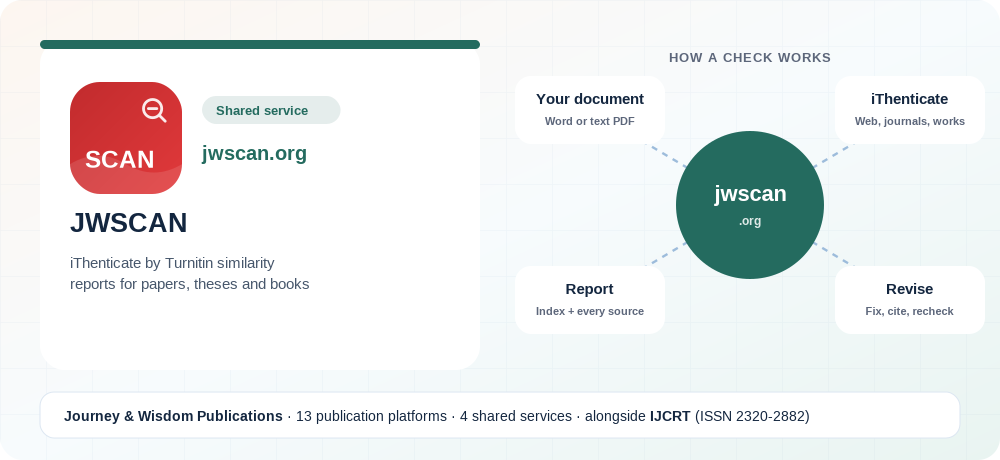
JWSCAN is the network’s similarity-checking service. Your document is compared by iThenticate by Turnitin — the professional tool journals and publishers use — and you receive the overall similarity index, the source of every match and a downloadable report, priced by page band from ₹500.

  • iThenticate by Turnitin
  • From ₹500 (25 pages)
  • 1–2 working days
  • Not stored in a repository
JWSCAN (jwscan.org): a document checked by iThenticate by Turnitin returns a similarity report with every matched source, then revision
₹500Starting charge, up to 25 pages (6,250 words)
₹960100-page band — most research papers
1–2 daysStandard turnaround in working days
8 bandsFrom 25 to 10,000 pages, about 250 words a page
AIAI-writing detection available on request
<15%What JETIR looks for in research papers

The product

What JWSCAN Is

JWSCAN (jwscan.org) is the similarity-checking service of the Journey & Wisdom network. It runs your document through iThenticate by Turnitin and returns a report that shows how much of the text matches other sources and exactly which sources those are. Requests are handled through the network’s request form at jwbook.org/plagiarism-check, and the same pricing and report details apply as on this site’s similarity check page and plagiarism check guide.

The difference between iThenticate and the tools most people try first is coverage. Free web checkers compare text against the open web. Student Turnitin accounts are built around coursework and add submissions to a student repository. iThenticate is the professional product for researchers, journals and publishers: it searches published scholarly content from Crossref members and major publishers as well as the web, and it does not add your document to the student repository — so a manuscript checked before publication will not later match against itself.

You pay for the one report you need, priced by length. There is no account to buy and no subscription. That makes JWSCAN useful to individual authors, PhD scholars, book authors, journal editors who need occasional screening, and institutions that need reports in volume without a licence of their own.

A similarity report is evidence, not a verdict. It finds overlap; people decide whether the overlap is plagiarism. This page explains what the report contains, how much it costs at each band, how to use it well and where its limits are.

Point by point

What JWSCAN Provides

Everything that comes with a JWSCAN check, as listed on the site’s similarity-check and plagiarism-check pages.

  1. An official iThenticate by Turnitin check

    The comparison runs in iThenticate, the professional Turnitin product that journals and editorial systems ask for, not a web-only checker or a borrowed student account.

  2. Comparison against three kinds of source

    Internet sources, published works (journal content from Crossref and the major publishers) and previously submitted papers. The report separates the three so you can see where overlap comes from.

  3. The overall similarity index

    The headline percentage of text that matches other sources. It is the number institutions quote, and the least informative part of the report on its own.

  4. The source of every match

    Each matched passage is linked to its source, so you can add the missing citation, quote it properly, or rewrite it. This breakdown is the part an editor actually reads.

  5. An interactive view and a downloadable file

    The report can be opened in an interactive viewer that lets you click through to each source, and downloaded as a file to keep or send to a supervisor or journal.

  6. A permanent personal report link

    The report reaches you through a personal link by email. It is private to you, it is not indexed by search engines, and it keeps working: the viewer is refreshed each time you open it.

  7. AI-writing detection on request

    Ask for it in your request and the same file is checked for text likely to be AI-generated. Treat the result as an indicator to review, not a finding of misconduct.

  8. No repository storage

    The check does not add your document to the student-paper repository, so your published paper will not be flagged later as a match against its own earlier check.

  9. Transparent page-band pricing

    Eight bands from 25 to 10,000 pages at about 250 words a page, with the price per page falling as documents get longer. The full table is below.

  10. Standard turnaround of 1–2 working days

    The acknowledgement email confirms the expected date. Very large documents in the 5,000 and 10,000 page bands take longer.

  11. Rechecks after revision

    Using the report properly means revising and checking again. You can request a recheck to confirm the score before submitting to a journal or university.

  12. Screening for editors and organisers

    Journals that are not yet Crossref members, conference committees using JWCMT and book editors can screen submissions per manuscript, without a licence of their own.

At a glance

JWSCAN Service Details: Website, Request Form, Tool and Turnaround

Everything about the service in one table — where to go, what is checked, what you receive and how the price is set.

JWSCAN service details
ItemJWSCAN
ServicePlagiarism and similarity checking for research papers, theses, dissertations, book manuscripts, chapters and conference papers
Websitejwscan.org — the JWSCAN service site of the Journey & Wisdom network
Check my manuscript (upload)www.jwbook.org/plagiarism-check — upload the file and see the exact price before paying
Software usediThenticate by Turnitin, the professional similarity tool used by journals and publishers
Compared againstInternet sources, published journal and book content, and previously submitted works
What you receiveOverall similarity index, every matched source with its share, an interactive report view, a downloadable report file and a private report link
AI-writing detectionAvailable on request for the same file; reported separately and read as an indicator, not proof
StorageYour document is not added to the student-paper repository
File formatsWord (.docx) or PDF with selectable text; scanned pages cannot be checked
Pricing basisPage count at about 250 words per page, in eight bands from 25 to 10,000 pages (₹500 to ₹44,000); exact price shown after uploading
Turnaround1–2 working days as standard; the 5,000 and 10,000 page bands take longer
RechecksRevise and request a recheck to confirm the score before submission
Who uses itAuthors, PhD and master’s scholars, book authors and editors, journal editors, conference committees and institutions
HelpOpen a support ticket, email editor@jetir.org or WhatsApp +91 94260 33211

Inside the report

Inside a JWSCAN Similarity Report

A report has layers. Most mistakes come from reading only the top one.

Overall similarity indexThe headline percentage
  • One number for the whole document
  • Colour-coded
  • Depends on exclusions
Source categoriesWhere matches come from
  • Internet sources
  • Publications
  • Submitted works
Match listEvery source, largest first
  • Source title or URL
  • Share of the text
  • Link to the source
Highlighted textThe passages themselves
  • Colour per source
  • Quotes and references visible
  • Your own earlier work shows too
AI-writing indicatorOnly if you asked for it
  • Likelihood, not proof
  • Reported separately
  • Needs human review
DeliveryHow you receive it
  • Personal email link
  • Interactive viewer
  • Downloadable report file
Figure 1 — The layers of a JWSCAN report, from the headline number down to the highlighted passages and the delivery formats.

How to read it in five minutes

  1. Start with the largest source

    One source contributing a large share usually means a copied block or an uncited earlier version of your own work. That matters more than many small matches.

  2. Separate quotes and references

    Correctly cited quotations, reference lists and standard method phrases create matches that are not plagiarism. Note them, then look past them.

  3. Look for your own earlier papers

    Matches to your thesis, preprint or conference paper are text recycling. Cite the earlier work and tell the journal; do not just paraphrase it away.

  4. Check the literature review

    Introductions and literature reviews collect most real problems: sentences borrowed from sources with a citation but without quotation marks.

Prices

JWSCAN Charges by Page Band

Priced by page count, at about 250 words per page. You see the exact price after uploading at jwbook.org/plagiarism-check. These are the same bands and charges as on the site’s similarity check page.

JWSCAN similarity report charges (INR)
Up to pagesUp to wordsChargePer pageTypical use
256,250₹500₹20.00—
5012,500₹800₹16.00—
10025,000₹960₹9.60Most research papers
30075,000₹2,400₹8.00Typical PhD thesis
500125,000₹3,600₹7.20—
1,000250,000₹5,600₹5.60Book manuscript
5,0001,250,000₹22,400₹4.48—
10,0002,500,000₹44,000₹4.40Institutional volume

Charge per page by band (INR)

Up to 25 pages₹20.00 ₹500
Up to 50 pages₹16.00 ₹800
Up to 100 pages₹9.60 ₹960
Up to 300 pages₹8.00 ₹2,400
Up to 500 pages₹7.20 ₹3,600
Up to 1,000 pages₹5.60 ₹5,600
Up to 5,000 pages₹4.48 ₹22,400
Up to 10,000 pages₹4.40 ₹44,000
Figure 2 — The price per page falls as documents get longer: ₹20.00 a page in the 25-page band, ₹9.60 at 100 pages and ₹4.40 at 10,000 pages. Values are calculated from the band charges in the table above.

A few rules keep pricing simple. The band is decided by word count, not by layout, so changing margins or font size does not move a document between bands. References stay in the file and are excluded inside the report. AI-writing detection is available on request. Standard delivery is 1–2 working days and the largest bands take longer. Prices are shown in Indian rupees on the site’s similarity pages; if you are paying from another country, ask which payment options are available when you request the report.

Check my manuscript →  ·  jwscan.org

Publishing with JETIR? Similarity screening is part of JETIR’s publication process and included in its publication fee. JWSCAN is for papers headed to other journals, for theses and dissertations, for book manuscripts and for editors screening their own submissions.

Who uses it

Who JWSCAN Is For

Authors before submissionA clean, professional report before a manuscript goes to a journal, so overlap is fixed by you rather than found by the editor.
PhD and master’s scholarsChapter-by-chapter checks while writing, then the full thesis in the 300-page band before the university’s own check.
Book authors and volume editorsWhole manuscripts or individual contributed chapters before layout, priced at the larger bands.
Journal editors and small publishersPer-manuscript screening for journals that are not yet eligible for Crossref Similarity Check.
Conference committeesScreening papers selected for proceedings or a special issue, alongside JWCMT.
Institutions and research cellsVolume checking in the 5,000 and 10,000 page bands without an institutional licence.

Step by step

How to Get a JWSCAN Report, Step by Step

JWSCAN similarity check workflow1Prepare fileWord ortext-based PDF2Pick bandAbout 250 words apage3Uploadjwbook.org form4iThenticateWeb, journals,works5ReportEmail + reportlink6Read sourcesNot just the %7RecheckAfter revisionJWSCAN similarity check workflow1Prepare fileWord or text-based PDF2Pick bandAbout 250 words a page3Uploadjwbook.org form4iThenticateWeb, journals, works5ReportEmail + report link6Read sourcesNot just the %7RecheckAfter revision
Figure 3 — The JWSCAN workflow from file preparation to recheck. The dashed stage is optional but recommended whenever the first report shows real problems.
  1. Prepare the document — Export it as Word (.docx) or a PDF with selectable text. Keep the references in — they are excluded in the report, not deleted beforehand. Scanned pages cannot be checked.
  2. Choose the page band — Count the words and pick the band at about 250 words a page; a 25,000-word paper is in the 100-page band whatever its font or margins.
  3. Submit the request — Open the request form at jwbook.org/plagiarism-check, attach the file, choose the band and mention if you want AI-writing detection. You get an acknowledgement with a reference number.
  4. iThenticate runs the comparison — The document is compared with internet sources, published journal content and previously submitted work.
  5. Receive the report — You receive the result by email with a personal report link: the overall similarity percentage, the source of each match, an interactive view and a downloadable report file.
  6. Read the sources, not just the number — Open the source breakdown and look for long continuous matches, uncited passages and matches to your own earlier work.
  7. Revise and recheck — Rewrite flagged passages in your own words, quote and cite what you keep, and request a recheck to confirm the score before you submit.

Reading the number

What Similarity Percentage Is Acceptable?

There is no universal number. The limit belongs to the journal or university, not to the software.

Who sets the limitTypical limitNote
JETIR (research papers)Below 15% as a general guide; formal bands: under 10% accepted, 10–20% returned for revision, over 20% rejectedDepends on whether matched text is properly quoted and referenced — see the JETIR plagiarism policy
Many international journalsUp to about 20%Always check the journal’s own author guidelines
UGC Regulations 2018 — Level 0 (theses)Up to 10%Minor similarity, no penalty; permitted material excluded
UGC Level 110% to 40%Revised script within the stipulated time (not more than six months)
UGC Level 240% to 60%Debarred from submitting a revised script for one year
UGC Level 3Above 60%Registration for the programme cancelled

Two papers with the same score can deserve opposite decisions. A 5% score made of one copied paragraph is plagiarism; a 25% score made of properly quoted definitions, a standard methods description and a reference list may be fine. That is why JWSCAN always gives you the source breakdown, and why editors read it before they read the number. Indian universities check theses with the software their institution provides, often through ShodhShuddhi; use JWSCAN to fix problems early, then meet your university’s own check.

Compared

JWSCAN Compared With Other Ways to Check

What you needFree web checkerStudent Turnitin accountJWSCAN (iThenticate)Crossref Similarity Check
Who can use itAnyoneStudents of a licensed institutionAny author, editor or institutionCrossref member journals only
Searches subscription journal content✕✕✓✓
Searches the open web✓✓✓✓
Adds your file to a student repositoryVariesUsually yesNoNo
Source-by-source report◐✓✓✓
AI-writing indicator◐ varies◐ if enabled✓ on request◐ check current terms
Pay per document, no subscription✓ free / plans✕✓✕ membership-based
Accepted by journals and universities as evidence✕◐✓✓
Figure 4 — Four ways to check similarity. Free web checkers are named by type only; Crossref Similarity Check is open only to Crossref members actively publishing DOI-assigned content.

For a journal, Crossref Similarity Check is the long-term route: it gives members iThenticate access with an annual service fee of 20% of the Crossref membership fee and per-document charges after the first 100 documents each year, and it requires full-text links in at least 90% of the journal’s registered content. New journals usually do not qualify on day one. JWSCAN fills that gap per manuscript until the journal is eligible — see how to join Crossref Similarity Check.

For journals

Using JWSCAN as a Journal Editor

Editors use similarity reports at two points: at desk screening, to stop a copied or recycled manuscript before reviewers spend time on it, and again before acceptance, when the final version may differ from the one first submitted. A written policy makes both steps defensible. It should state the threshold, the role of the source breakdown, how self-plagiarism and text recycling are treated, and what happens to an author when overlap is found.

Write the policy first

Publish a short plagiarism policy before screening anything, so decisions follow a rule rather than a mood. Policy guide.

Screen at desk stage

Send every manuscript you intend to review. A desk rejection with a report attached is quicker for everyone than a rejection after review.

Read with the author in mind

Ask authors to explain large matches before deciding; many are earlier versions, theses or preprints that only need citing.

Keep the report on file

Store the report with the manuscript record in your workflow system, such as JWJMS, so the decision can be explained later.

Recheck the final version

Accepted manuscripts sometimes change after review. A final check before publication avoids corrections later.

Plan for membership

When the journal is a Crossref member with full-text links in its metadata, apply for Similarity Check and keep JWSCAN for the cases it does not cover.

Honest limits

What a Similarity Report Cannot Tell You

What JWSCAN gives you

  • Where your text overlaps with indexed sources, and how much
  • The source of each match, so you can cite or rewrite
  • An AI-writing indicator when you ask for one
  • A report you can show a supervisor, editor or committee

What no report can do

  • Decide whether overlap is plagiarism — people decide that
  • Find copying from sources that are not in the database, including translated text
  • Prove that text was written by AI — the indicator is a likelihood
  • Make a paper acceptable just because the score is low

Avoid “plagiarism removal” services and automatic paraphrasers. They reduce the number by producing awkward, sometimes meaningless text, and editors recognise it. The honest fix is to quote, cite and rewrite in your own words.

Practical answers

How-To Questions About JWSCAN

How do I check my research paper for plagiarism with iThenticate?

Request a JWSCAN report at jwbook.org/plagiarism-check: attach the paper as Word or text PDF, choose the page band and the report comes back by email, usually in 1–2 working days. A typical research paper falls in the 100-page band at ₹960.

How do I work out which page band my document is in?

Count the words and divide by 250. A 6,000-word paper is within the 25-page band (6,250 words); a 70,000-word thesis is within the 300-page band (75,000 words). Layout, font and margins do not change the band.

How do I prepare a thesis for a similarity check?

Export the complete thesis, including references and appendices, as one Word or text-based PDF file. Remove scanned certificates and images of text, which cannot be checked. If chapters are already published, cite those papers in the thesis so the matches are explained.

How do I exclude references and quotations from the score?

Leave them in the document. The report can exclude the bibliography and quoted material afterwards, which is fairer than deleting text before the check and risking a mismatch with what you finally submit.

How do I reduce a high similarity score honestly?

Work from the largest source down: rewrite borrowed sentences in your own words, put any text you keep word for word in quotation marks with a citation, and cite your own earlier work. Then request a recheck. Do not use paraphrasing tools to hide matches.

How do I read the source breakdown?

Each source is listed with the share of your text it matches. Open the largest ones first, see which passages they cover and decide for each whether it needs a citation, quotation marks or rewriting. Many small matches of common phrases usually need no action.

How do I ask for AI-writing detection?

Mention it in your request. The detection runs on the same file and is reported separately from the similarity score. Read it as an indicator: check the flagged passages, and be ready to explain your drafting process if a journal asks.

How do I share the report with my supervisor or a journal?

Download the report file from your personal report page and attach it, or forward the report link to a person you trust. The link is private to you; anyone holding it can open the report, so do not post it publicly.

How do I check self-plagiarism from my own earlier papers?

JWSCAN finds overlap with your published papers, preprints and conference versions like any other source. Cite the earlier work, tell the journal about it in the cover letter, and rewrite reused descriptions where the journal’s policy asks for it.

How do I screen a whole journal issue or conference volume?

Send each manuscript as a separate request so each gets its own report, or ask the JW team about volume screening. Keep every report with the manuscript record so decisions can be traced.

How do I get a similarity report for a book manuscript?

Use the 1,000-page band (up to 250,000 words) for most books, at ₹5,600. For edited volumes, checking each contributed chapter separately makes it easier to return findings to the right author.

How do I know if my result is good enough for JETIR?

JETIR looks for similarity below 15% for research papers (formal bands: under 10% accepted, 10–20% revision, over 20% rejected), read together with the source breakdown — the acceptable level depends on whether matched text is properly quoted and referenced. JETIR screens every submission itself as part of its process, so you do not need to buy a report before submitting to JETIR.

Ready to publish?

Submit your paper to JETIR

Peer-reviewed, open access, monthly · ISSN 2349-5162 · Crossref DOI · ₹1501 / $59 only after acceptance.

Questions

JWSCAN — Frequently Asked Questions

Is JWSCAN the same as Turnitin?
JWSCAN uses iThenticate, which is made by Turnitin. Turnitin is the student-facing product most universities use for coursework; iThenticate is the professional tool for researchers, journals and publishers.
How much does a JWSCAN report cost?
From ₹500 for up to 25 pages (6,250 words). A typical research paper (up to 100 pages) is ₹960, a typical PhD thesis (up to 300 pages) ₹2,400 and a book (up to 1,000 pages) ₹5,600. Larger bands go up to ₹44,000 for 10,000 pages.
How long does a check take?
Standard turnaround is 1 to 2 working days. Documents in the 5,000 and 10,000 page bands take longer; the acknowledgement email confirms the expected date.
Will my paper be stored in a database?
No. An iThenticate check does not add your document to the student repository, so your paper will not later match against itself.
Does JWSCAN detect AI-written text?
Yes, on request. Ask for AI-writing detection when you submit. The result is a likelihood to review, not proof, and responsibility for the content stays with the author.
What file formats can I send?
Word (.docx) and PDF with selectable text. Export LaTeX to PDF first. Scanned or photographed pages cannot be checked because they contain no machine-readable text.
Can I check the same paper more than once?
Yes. Revising and rechecking is the normal way to use a report: fix what the breakdown flags, then confirm the score before you submit.
What similarity percentage is acceptable?
It depends on who is asking. JETIR looks for under 15% for research papers, with sources properly quoted and referenced (its policy bands are under 10%, 10–20% and over 20%); many journals accept up to about 20%; UGC Regulations 2018 treat up to 10% as Level 0 for theses. Always check the specific journal or university.
Is a low percentage proof that my paper is original?
No. A small score made of one copied paragraph is still plagiarism, and sources outside the database are not found. The source breakdown matters more than the headline number.
Do I need JWSCAN if I am submitting to JETIR?
No. JETIR screens every submission as part of its publication process, and that screening is included in its publication fee.
Where do I request a JWSCAN report?
Through the request form at www.jwbook.org/plagiarism-check. Questions can go to editor@jetir.org or WhatsApp +91 94260 33211.
Can a journal use JWSCAN instead of Crossref Similarity Check?
Yes, per manuscript, especially while the journal is not yet eligible for Similarity Check. Once it is a Crossref member with full-text links in its metadata, Similarity Check becomes the usual long-term route.

Terms to know

Important Keywords

The vocabulary of similarity checking, as used on this page.

  • JWSCAN
  • jwscan.org
  • iThenticate
  • Turnitin
  • similarity report
  • similarity index
  • plagiarism check
  • plagiarism checker for research paper
  • thesis plagiarism check
  • source breakdown
  • AI-writing detection
  • self-plagiarism
  • text recycling
  • page band pricing
  • UGC plagiarism levels
  • similarity threshold
  • Crossref Similarity Check
  • desk screening
  • reference exclusion
  • paraphrasing
  • student repository
  • recheck after revision

Publish your own research

Screened Before Review: Publish With JETIR

Every paper submitted to JETIR is screened for similarity before peer review as part of the publication process, with no separate report to buy. If your manuscript is ready, read the guidelines and submit.

JETIR at a glance

  • Journal of Emerging Technologies and Innovative Research · ISSN 2349-5162 · monthly · since 2014
  • Transparent, double-blind peer review by subject reviewers
  • Open access under CC BY 4.0 · multidisciplinary scope
  • ₹1501 (Indian authors) / US$59 (foreign authors), charged only after acceptance
  • Indian papers with more than 5 authors: ₹500 per extra author, incl. GST · no extra-author fee for foreign authors

Before you submit

JETIR is a Transparent, Peer-Reviewed, Open Access Journal (Refereed Journal). Following the discontinuation of UGC and UGC-CARE journal listing, JETIR is aligned with UGC's Suggested Parameters for Choosing Peer-Reviewed Journals.

Need a similarity report this week?

Request an iThenticate by Turnitin report through JWSCAN from ₹500, delivered by email in 1–2 working days. Submitting to JETIR instead? Screening is already included.

Just ₹1501
Publish in a UGC-aligned Peer-Reviewed JournalLow Cost ₹1501 Indian Author$59 USD InternationalPublish in a UGC-aligned Peer-Reviewed Journal₹1501 Indian Authors$59 USD InternationalUGC-aligned peer-reviewed journal · ₹1501 India · $59 Intl
Submit Paper →
Support