JETIR Home › JW Ecosystem › JW Publication

Books & publisher · Multi-service platform · Journey & Wisdom Publications

JW Publication: The Multi-Service Platform Behind the JW Network — jwpublication.org

JW Publication presents Journey & Wisdom Publications as one publisher with many services rather than as any single journal. From one front door it leads to journal publication, book publication, similarity checking, DOI registration support, journal management, conference management, open-access records and scholar services — and it is where institutions start when they want to check who stands behind the network.

  • Journals & books
  • Similarity & DOI support
  • Journal & conference systems
  • Publisher transparency
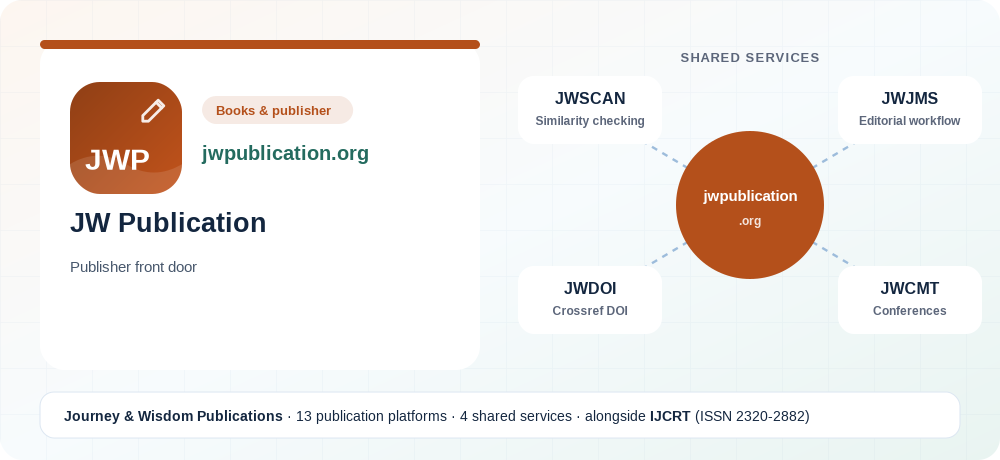
JW Publication (jwpublication.org): the multi-service front door of Journey and Wisdom Publications, covering journals, books, similarity checks, DOI support and conferences
17 domainsThirteen platforms and four shared services
1 front doorOne place to find every JW service
Journals + booksBoth publication routes under one publisher
4 servicesSimilarity, DOI support, journal and conference systems
In writingScope and any charge confirmed before work starts
jwpublication.orgThe publisher’s own site

The front door

One Publisher, Many Services: What JW Publication Is

Journey & Wisdom Publications runs seventeen web domains: thirteen publication platforms and four shared services. Seen one site at a time, the network can look like a collection of unrelated names. JW Publication (jwpublication.org) is the place where it is presented as what it is — one publishing house with journals, books and a set of services that authors, journals and institutions can use, together or separately.

Two kinds of visitor arrive here. The first wants a service: an author looking for a journal or a book route, a thesis writer who needs a similarity report, a journal editor who needs DOIs or a submission system, an organiser planning a conference. For them, this page is a map from need to service, with a link to each product page. The second wants to know who the publisher is before trusting it with a manuscript, a journal or a conference: a librarian, a research office, a society, a careful author. For them, this page sets out what can be verified and where.

JW Publication shares the “Books & publisher” family with JW Book, which does the actual book production. When the question is whether a piece of work should go to a journal, a book or both, JWBPN is the route planner. JW Publication is the umbrella over all of them.

Point by point

Every JW Service, Point by Point, With Its Page

Fourteen services under one publisher. Each links to the page that explains it in full.

  1. Journal article publication

    Multidisciplinary peer-reviewed journals: JETIR and its sister journals listed on the journals page. Authors read the author guidelines and submit through the submission page.

  2. Wave-family publication platforms

  3. Book publication with ISBN

    Monographs, edited volumes, textbooks, proceedings and thesis-based books through JW Book, with ISBN handling, editing and production.

  4. Similarity and plagiarism checks

    iThenticate by Turnitin reports through JWSCAN, requested on the jwbook.org form; the only JW service with a published page-band price list.

  5. DOI registration support

    JWDOI helps a journal join Crossref directly or through a Crossref Sponsor and prepares and deposits metadata under the journal’s own prefix. JW is not itself a Crossref Sponsor.

  6. Journal management system

    JWJMS covers online submission, review rounds, decisions and issue building, with OJS technical work for journals that use OJS.

  7. Conference management

    JWCMT runs a conference from call for papers to certificates and hands accepted papers to proceedings or a special issue.

  8. Journal records and evaluation

    ORWave keeps journal records, its own evaluation score and evaluation documents — from inside the same network, which it states.

  9. Repository and preprints

    OpenRGATE archives preprints, papers, theses and conference papers and helps authors choose journals on evidence.

  10. Journal-and-book route planning

    JWBPN helps decide what should be an article, a chapter or a book, and in which order.

  11. Engineering community platform

    Engineering Research Society for engineering articles, books and event proceedings.

  12. Scholar records and profile linking

    ScholarRPN keeps a researcher-centred record, links identifiers and profiles and recognises peer review.

  13. Services for new journals

    Help with launching a journal that stays the owner’s own: setup, website, OJS, ISSN application support and indexing application support.

  14. Discovery after publication

    Metadata, repository deposit and sharing practice for published work, described on the Research Wave page and the JETIR indexing and discovery page.

Architecture

The Service Map Around JW Publication

Ten groups of service around one publisher. Each box is a product with its own page, scope and terms.

Journey and Wisdom services around JW PublicationJWPublicationone publisher, manyservicesJournalsJETIR, sister journals, WaveplatformsBooksJW Book: ISBN volumes andproceedingsSimilarity checksJWSCAN: iThenticate reportsDOI supportJWDOI: metadata under yourprefixJournal systemJWJMS and OJS workConferencesJWCMT: call to certificatesJournal recordsORWave: listing and ownscoreRepositoryOpenRGATE: preprints anddepositsScholar recordsScholarRPN: identity andprofilesRoute planningJWBPN: journal, book or bothJourney and Wisdom services around JW PublicationJWPublicationJournalsJETIR, sister journals, Wave platformsBooksJW Book: ISBN volumes and proceedingsSimilarity checksJWSCAN: iThenticate reportsDOI supportJWDOI: metadata under your prefixJournal systemJWJMS and OJS workConferencesJWCMT: call to certificatesJournal recordsORWave: listing and own scoreRepositoryOpenRGATE: preprints and depositsScholar recordsScholarRPN: identity and profilesRoute planningJWBPN: journal, book or both
Figure 1 — The JW service map. Every box is a separate product page; the publisher in the middle is the same for all of them.

The map is deliberately flat. No service requires another: a journal can use JWSCAN without JWJMS, an organiser can use JWCMT and publish proceedings elsewhere, an author can publish in JETIR without touching any other product. The value of a single front door is that the services are described in one consistent way, so the visitor can see quickly what exists and what does not.

What each service does

Services by Function: Publish, Check, Identify, Manage, Discover, Record

The same services sorted by the job they do in the life of a piece of research.

PublishMake the work public after review or editing
  • JETIR and sister journals
  • Wave platforms
  • JW Book
  • ER Society
CheckScreen before a decision
  • JWSCAN similarity reports
  • Requested at jwbook.org
IdentifyGive outputs persistent identifiers
  • JWDOI metadata support
  • ISBN handling via JW Book
  • ISSN application guidance
ManageRun the editorial or event workflow
  • JWJMS
  • OJS technical work
  • JWCMT
DiscoverHelp readers and authors find work and venues
  • OpenRGATE
  • ORWave records
  • Research Wave practice
RecordConnect outputs to the people who made them
  • ScholarRPN
  • Reviewer recognition
Figure 2 — Six functions. Most authors need one or two layers; a new journal may use four or five over its first years.

Quick finder

Find the Right Service by What You Need

If you need to…UseRead first
Publish a research article, review or case reportJETIR or a sister journalAuthor guidelines
Publish a book, edited volume or proceedingsJW BookJW Book page
Check a manuscript or thesis for similarityJWSCANJWSCAN page
Register DOIs for your own journalJWDOIJWDOI page
Manage submissions and peer reviewJWJMSJWJMS page
Run a conference and publish its papersJWCMT, then JW Book or a journalJWCMT page
Get a public record for a journalORWave (same network)ORWave page
Deposit a preprint or thesisOpenRGATE (same network)OpenRGATE page
Decide between an article and a bookJWBPNJWBPN page
Link your profiles and identifiersScholarRPNScholarRPN page
Start a new journal that stays yoursNew-journal servicesSetup service

Journal authors never need to request a service to publish: they submit to the journal and pay its published article charge only after acceptance. Everything else on the list is requested from the JW team, who reply with a written scope and quote. The only service with a public price list is JWSCAN, because similarity reports are priced simply by length.

Before you write

What to Have Ready for Each Kind of Request

A request that carries the right details gets a precise quote in one reply instead of three rounds of questions.

RequestSend with itWhy it matters
Book or edited volumeProposal, contents, contributors, length, formats wanted, open access or notLength, contributors and formats decide most of the work
Similarity reportA text-based Word or PDF file and the page bandScanned images cannot be compared; the band sets the charge
DOI registration supportJournal title, ISSN, country, Crossref status, articles per yearMembership route and fees depend on country and volume
Journal management systemCurrent workflow, submissions per month, OJS version if anyMigration and configuration differ by starting point
Conference managementDates, tracks, expected papers, fee categories, proceedings planScale and publication route shape the set-up
Journal record on ORWaveJournal facts as on the ISSN record, indexing statementThe record repeats what you send, so it must be true
Group repository depositItem list with types, licences and metadataRights and metadata decide what can be deposited
Scholar records or dataResearchers involved, fields needed, their consentPersonal data moves only with agreement

If you are not sure which row applies, describe the situation in plain words. The team would rather receive a clear description of the problem than a guess at the right product, and will say if a request belongs to a journal’s editor rather than to a service.

Step by step

How a Service Request Works

Seven steps that are the same whichever service you need. The figure shows the order.

Requesting a JW service1NeedOne sentence2Service pageScope and limits3VerifyPublisher checks4RequestEmail or WhatsApp5Written quoteScope, time,charge6SupplyFiles, data,access7DeliveryOutput and recordRequesting a JW service1NeedOne sentence2Service pageScope and limits3VerifyPublisher checks4RequestEmail or WhatsApp5Written quoteScope, time, charge6SupplyFiles, data, access7DeliveryOutput and record
Figure 3 — The request route for any JW service. Step 3 (dashed) is for first-time clients; returning clients usually skip it.
  1. Name the need, not the product — Write one sentence about what you need done: publish an article, publish a book, check a manuscript, register DOIs, manage submissions, run a conference, list a journal or tidy an author record.
  2. Find the matching service page — Use the service map on this page to open the product page that handles that need, and read its scope, process and limits.
  3. Check the publisher — If you have not worked with Journey & Wisdom before, run the verification steps on this page: ISSN records, DOIs, policies and contacts.
  4. Send a request with the details — Email or WhatsApp the JW team with who you are, what you need, the size of the job and any deadline. Journal authors submit through the journal’s own submission page instead.
  5. Receive the scope and quote in writing — The reply says what will be done, what will not, the timeline and any charge. Nothing starts until you agree.
  6. Confirm and supply the material — Send the manuscript, metadata, event details or access the service needs, in the format the service page describes.
  7. Receive the output and the record — You receive the result — a published item, a report, deposited metadata, a configured system — together with the record or invoice for your files.

Transparency

How to Verify Journey & Wisdom — or Any Publisher

A front door is a statement about the publisher. These are the checks that turn it into evidence.

  1. Check its journals at the ISSN Portal

    Look up each ISSN the publisher gives — JETIR’s is 2349-5162 — at the ISSN Portal. The title on the record must match the journal exactly.

  2. Check its Crossref membership and DOIs

    The group’s Crossref member is IJ Research Organization (member 36514), whose prefix 10.56975 is used for the group’s own journals. Open several DOIs at doi.org and confirm they resolve to the journal’s article pages, and search the Crossref title list.

  3. Read the policies, not the slogans

    Peer review, ethics, AI use, corrections and retractions, licence, fees and refunds should be published and specific. The Principles of Transparency and Best Practice in Scholarly Publishing (version 5.0, October 2026) list what a journal should show, including clear ownership and management.

  4. Look for honest limits

    A credible publisher says what it is not. This network states openly that JETIR is not indexed in Scopus, Web of Science, DOAJ or PubMed, that JW is not a Crossref Sponsor, and that ORWave and OpenRGATE are its own platforms.

  5. Ask specific questions in writing

    Who owns the title, whose prefix the DOIs are under, who makes editorial decisions, what happens to data and how a client can leave. Named answers in writing are worth more than any badge.

  6. Use an independent checklist

    Think. Check. Submit. gives authors a short list of tests; COPE guidance describes the ethical standards journals are expected to follow.

Services or publisher of record

Using JW Services Without Giving Up Your Journal

Most journals and organisers use JW as a service provider, not as their publisher. The difference decides who owns what.

What you needUsing JW services onlyJW as publisher of record
Who owns the journal title and ISSNYour organisationSet out in the publishing agreement
Whose DOI prefix is usedYour own, through your Crossref membershipAs agreed; ask how DOIs move on exit
Who makes editorial decisionsYour editorsThe journal’s editors under the agreement
Whose name is on the journal as publisherYoursJourney & Wisdom, if agreed
Can you change provider✓ at any time, per service◐ on the agreement’s exit terms
Does it make your journal a network journal✕✓
Figure 4 — Two ways of working with the publisher. Most clients of JWSCAN, JWDOI, JWJMS and JWCMT use the first.

The first column is the normal case. A journal that uses JWDOI keeps its Crossref membership and its own prefix; a journal on JWJMS keeps its editors and decisions; an organiser on JWCMT keeps its committees and data. Using a service does not put a journal on the network’s platforms or make any index treat it as part of a larger publisher. The second column is a different conversation with different documents, and the guide to transferring a journal to a new publisher lists the questions to settle.

Who uses it

Who Comes Through the Front Door

Authors and PhD scholarsA journal for the article, a book route for the thesis, a similarity report before either.
Journal owners and editorsDOIs, a submission system, similarity screening, a public record and help with indexing applications.
Conference organisersAn event platform and a choice of proceedings or a journal special issue afterwards.
Institutions and librariesDue diligence on the publisher behind venues their staff use.
Societies and associationsA partner for a journal, a book series or an event, on terms set in writing.
Researchers building a recordRepository deposits and a connected scholar record across journals.

Honest limits

What the Front Door Can and Cannot Do

JW Publication can

  • Show every JW service in one place, with a page for each
  • Present the publisher and its contacts for due diligence
  • Route a request to the right service and team
  • Confirm scope and any charge in writing before work starts
  • Point to the independent records that verify its claims

It cannot

  • Verify itself — use the independent checks above
  • Promise indexing for any journal, including its own
  • Make the network’s platforms independent of each other
  • Lend its Crossref prefix to another publisher’s journal
  • Replace a written agreement or a platform’s own published terms

Every platform in the network publishes its own scope, editorial process, policies and charges. Where a summary on this page and a platform’s own page differ, the platform’s page applies.

Requests

Ask the JW Team

Say who you are, what you need and how large the job is. For a journal article, use the journal’s submission page instead — no request is needed. For every other service the JW team replies with a written scope and quote.

Ask about any Journey & Wisdom service

There is no fixed price list for this service: each journal, publisher or event starts from a different place, so the JW team replies with what it can do and a written quote. Describe your situation in a few lines.

Practical answers

How-To Questions About JW Publication

How do I find out which JW service I need?

Describe the task in one sentence — “check my thesis”, “register DOIs for our journal”, “publish proceedings” — and match it to the quick-finder table on this page. Each row links to the product page that handles it. If the task spans several services, send the sentence to editor@jetir.org and the team will say which services are involved.

How do I submit a research paper through JW Publication?

You do not need to go through the front door: submit directly to the journal. For JETIR, read the author guidelines, prepare the manuscript to the template and submit on the submission page. No payment is asked at submission; the article charge applies only after acceptance. Sister journals are listed on the journals page with their own details.

How do I verify that Journey and Wisdom is a real publisher?

Check its journals’ ISSNs at the ISSN Portal, open several of their DOIs at doi.org, look up the Crossref title list, read the published policies on peer review, ethics, licences and fees, and confirm that the contacts answer specific questions in writing. Compare what you find with the Principles of Transparency and with Think. Check. Submit.

How do I get a quote for a JW service?

Email or WhatsApp the JW team with who you are, the service you need, the size of the job — pages, articles a year, expected submissions, delegates — and any deadline. The reply sets out the scope, what is excluded, the timeline and the charge in writing. Similarity reports are the exception: their page-band prices are published on the JWSCAN page.

How do I combine several JW services for a new journal?

Start with the setup service to plan scope, policies and workflow, then add services as the journal needs them: a submission system, similarity screening from the first issue, DOIs once you are a Crossref member, and indexing application support when the journal has a record to show. Each service is separate and can be dropped or replaced later.

How do I use JW services but keep my journal independent?

Use services only, not a publishing agreement. Keep your own Crossref membership and prefix, your own ISSN and publisher name, your own domain and your own editors. Ask for written terms that say how data is returned if you stop using a service. Nothing about using JWSCAN, JWDOI, JWJMS or JWCMT makes your journal a network journal.

How do I publish both a journal article and a book from one project?

Plan the order first: articles for the findings, a book for the synthesis later, with the earlier articles declared. The JWBPN page explains the routing; the article goes to a journal such as JETIR and the book to JW Book. Ask the JW team if you want the plan checked before you submit anything.

How do I check a manuscript for plagiarism before submission?

Request an iThenticate by Turnitin report through the form at jwbook.org/similarity-check. JWSCAN returns the overall similarity index and every matched source. Read the sources, fix missing citations and heavy reuse, and recheck if the changes are large. Charges are by page band on the JWSCAN page.

How do I get DOIs for my journal through JW?

Read the JWDOI page first. Your journal joins Crossref itself — directly or through a sponsor on Crossref’s list — and receives its own prefix. JWDOI then prepares and deposits the metadata on your behalf with the access you grant. JW is not a Crossref Sponsor and does not lend the prefix of the group’s own journals.

How do I raise a complaint or a correction about a JW service?

Write to editor@jetir.org with the reference number, what was expected, what happened and what you are asking for. For a published article, write to the journal’s editor and follow its corrections policy. Keep the written exchange; it is the record either side will rely on.

How do I partner with Journey and Wisdom as a society or institution?

Describe the partnership you have in mind — a journal, a book series, an event or a service arrangement — your governance, and what you want to keep in your own hands. The JW team replies with what is possible and the documents involved. Settle ownership, editorial control, identifiers and exit terms in writing before anything is announced.

Ready to publish?

Submit your paper to JETIR

Peer-reviewed, open access, monthly · ISSN 2349-5162 · Crossref DOI · ₹1501 / $59 only after acceptance.

Questions

JW Publication — Frequently Asked Questions

What is JW Publication?
JW Publication (jwpublication.org) is the front door of Journey & Wisdom Publications: the multi-service platform that presents the publisher and leads to every journal, book and service in the network.
Is JW Publication a journal?
No. It presents the publisher and its services. Journal articles are published by JETIR, its sister journals and the Wave platforms.
Which services does Journey & Wisdom offer?
Journal publication, book publication with ISBN, similarity checks, DOI registration support, a journal management system, conference management, journal records, a repository, route planning, an engineering society platform and scholar records.
Do I need JW Publication to submit a paper?
No. Submit directly to the journal; for JETIR, through its submission page.
Are JW service prices published?
Only JWSCAN’s, by page band. Every other service is quoted in writing on request at editor@jetir.org or on WhatsApp +91 94260 33211.
Is Journey & Wisdom a Crossref Sponsor?
No. JWDOI helps journals join Crossref and deposits metadata under each journal’s own prefix. The group’s own prefix, 10.56975, belongs to IJ Research Organization and is used for the group’s journals.
Does using a JW service make my journal part of the network?
No. Using a service leaves your title, ISSN, publisher name, prefix and editors with you.
Can JW Publication get my journal indexed?
No one can promise that. Indexing application support prepares applications; each index decides on its own criteria.
Are ORWave and OpenRGATE independent of the publisher?
No. Both are platforms of the same Journey & Wisdom network, and the network says so wherever it cites them.
Where should I start if I want to check the publisher?
With the independent records: ISSN Portal entries for its journals, DOIs at doi.org, the Crossref title list, and the published policies measured against the Principles of Transparency.
Which page applies if two descriptions differ?
The platform’s own published page. Summaries, including this one, do not override a platform’s stated scope, policies or charges.

Terms to know

Important Keywords

Terms that come up when choosing a Journey & Wisdom service or checking the publisher behind it.

  • JW Publication
  • jwpublication.org
  • Journey & Wisdom Publications
  • multi-service publishing platform
  • publisher front door
  • journal publication
  • book publication
  • plagiarism check service
  • similarity report
  • DOI registration support
  • journal management system
  • conference management
  • open-access repository
  • journal records
  • scholar records
  • new journal services
  • publisher verification
  • Principles of Transparency
  • Think. Check. Submit.
  • COPE guidance
  • service provider vs publisher of record
  • Crossref member 36514

Publish your own research

The Publisher’s Flagship Journal Is Open for Submissions

JETIR is the multidisciplinary journal at the centre of the Journey & Wisdom network. Authors submit directly — no service request is needed — and pay only after acceptance.

JETIR at a glance

  • Journal of Emerging Technologies and Innovative Research · ISSN 2349-5162 · monthly · since 2014
  • Transparent, double-blind peer review by subject reviewers
  • Open access under CC BY 4.0 · multidisciplinary scope
  • ₹1501 (Indian authors) / US$59 (foreign authors), charged only after acceptance
  • Indian papers with more than 5 authors: ₹500 per extra author, incl. GST · no extra-author fee for foreign authors

Before you submit

JETIR is a Transparent, Peer-Reviewed, Open Access Journal (Refereed Journal). Following the discontinuation of UGC and UGC-CARE journal listing, JETIR is aligned with UGC's Suggested Parameters for Choosing Peer-Reviewed Journals.

One front door for every JW service

Tell the JW team what you need and receive a written scope and quote. Publishing a research article? Submit it to JETIR directly — ₹1501 for Indian authors or US$59 for foreign authors, charged only after acceptance.

Just ₹1501
Publish in a UGC-aligned Peer-Reviewed JournalLow Cost ₹1501 Indian Author$59 USD InternationalPublish in a UGC-aligned Peer-Reviewed Journal₹1501 Indian Authors$59 USD InternationalUGC-aligned peer-reviewed journal · ₹1501 India · $59 Intl
Submit Paper →
Support