JETIR Home › JW Ecosystem › JW Custom Software

Development service · Software, apps & websites · Journey & Wisdom

Custom Software, App & Web Development for Every Industry — by JW

Journey & Wisdom (JW), the publisher behind JETIR, designs and builds software to order: web applications, Android and iOS apps, business websites, ERP, CRM and learning systems, booking and stock tools, AI automation and the integrations that join them. Every project starts with understanding the work your users do; the quote comes after that, in writing.

  • Web & mobile apps
  • ERP, CRM & LMS
  • AI automation & APIs
  • Support after launch
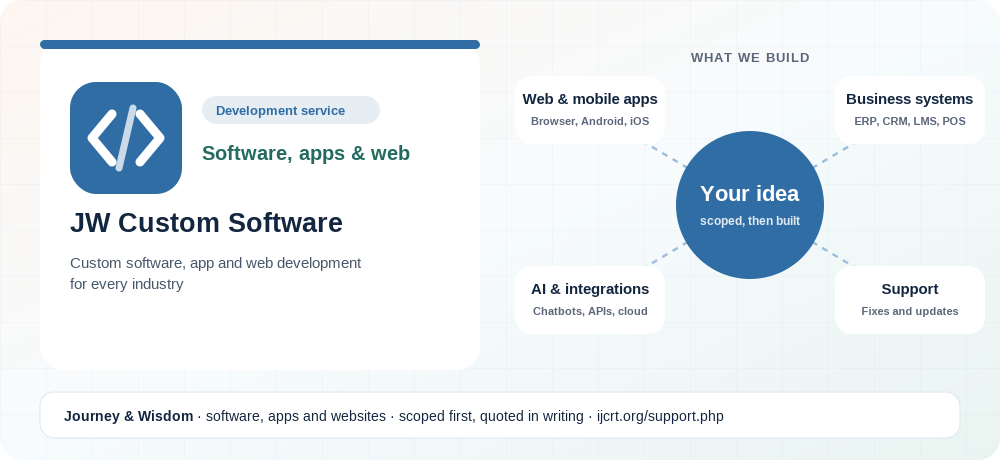
JW custom software development: web and mobile apps, business systems, AI and integrations, and support around a scoped project idea
15 servicesFrom a business website to AI automation, listed below
13 sectorsWhat we can build for each — examples, not a client list
7 stagesDiscovery to support, with a document you approve at each
2 modelsFixed scope or time-and-material, chosen per project
No price listEach project is scoped, then quoted in writing
One ticketEvery enquiry starts at jetir.org/support.php

The service

Software Built Around Your Work, Not the Other Way Round

Ready-made software is built for an average customer. When your process differs from that average — the way a clinic books follow-ups, a college tracks fee instalments, a cooperative calculates interest or a warehouse counts stock — staff end up keeping a parallel spreadsheet, copying data between tools and remembering steps the software does not know about. Custom software removes that gap by encoding your rules, your roles and your reports directly.

Journey & Wisdom already designs and runs the software behind its own publishing network: the journal workflow in JWJMS, conference handling in JWCMT and the platforms shown on the JW ecosystem page. This page offers the same kind of work to organisations in any sector: a business that has outgrown spreadsheets, an institution that needs a portal, a founder with a product idea, or a team that wants an existing system repaired, connected or moved.

Custom does not always mean starting from zero. Sometimes the right answer is to configure an existing open-source product, connect two systems you already pay for, or build one missing module. Choosing between custom and off-the-shelf software is part of discovery, and we will say so when a ready-made tool fits better than a build.

What we will not do is guess a price for an idea we have not understood. Software cost depends on the number of user roles, screens, rules, integrations and platforms, on the data that has to move across and on the support you need after launch. So the sequence is fixed: describe the need, we ask questions, we scope it, and only then do you receive a written quote. To begin, open a support ticket, email editor@jetir.org or message us on WhatsApp +91 94260 33211.

Point by point

What JW Builds: Fifteen Development Services

Each service can be taken alone or combined in one project. The short notes say what is usually included and what to decide early.

  1. Custom software development

    Software written for one organisation’s process: approval chains, calculations, document generation, role-based access and the reports managers actually read. Typical starting points are a spreadsheet that has become critical, or a paper register that several people share.

  2. Web application development

    Browser-based portals, dashboards and workflow tools that staff, customers or members log in to from any device. Web applications suit most business systems because there is nothing to install and one update reaches every user.

  3. Mobile apps for Android and iOS

    Native or cross-platform apps for customers, field staff or members, with offline use, notifications, camera, location and payments where needed. Apps are published under your own developer accounts. See the mobile app development guide.

  4. Websites

    Fast, mobile-first business and institutional websites with an editor your staff can use, accessible markup, search-friendly structure and contact or enquiry forms that reach the right inbox.

  5. ERP systems

    Enterprise resource planning sized for small and mid-size organisations: purchase, stock, production or service delivery, billing, payroll inputs and accounts exports in one database instead of five files.

  6. CRM systems

    Customer relationship management: lead capture from website and phone, follow-up reminders, a sales pipeline, quotations and a history of every conversation that survives staff changes.

  7. Learning management systems

    An LMS for courses, video lessons, assignments, online tests, attendance, results and certificates, for schools, coaching institutes, companies training staff or associations training members.

  8. Inventory and POS software

    Stock and point-of-sale tools with barcode or QR scanning, batch and expiry tracking, multi-location transfers, billing counters and low-stock alerts.

  9. Booking and appointment systems

    Online booking for rooms, tables, consultations, classes, vehicles or services, with calendars, slot rules, reminders, deposits and staff schedules.

  10. SaaS MVPs

    For founders: a minimum viable product with sign-up, subscription-ready accounts and the one workflow that proves the idea, built so that it can grow into a multi-tenant product rather than be thrown away.

  11. AI automation and chatbots

    Assistants and automations that answer routine questions from your own documents, sort incoming email or forms, extract data from PDFs and hand difficult cases to a person. Human review stays in the loop for anything that matters.

  12. API integration

    Connecting systems through their APIs: payment gateways, SMS and messaging, accounting, maps, government e-services and the tools you already use, so data is entered once.

  13. Cloud migration

    Moving an application and its data from an office server or old hosting to cloud infrastructure, with a tested backup, a rollback plan and a cut-over window agreed in advance.

  14. UI/UX design

    User research, wireframes and prototypes, visual design and accessibility review, on its own or as the first phase of a build. Good design reduces training time and support calls.

  15. Maintenance and support

    Ongoing care for software we built or software another team left behind: bug fixes, security patches, platform updates, performance work and small enhancements, logged through support tickets.

Map of JW development servicesJW buildsscoped to yourprocessWeb applicationsPortals, dashboards,workflowsMobile appsAndroid and iOS, online orofflineWebsitesFast, accessible, easy toeditERP and CRMOperations, sales andcustomersLMSCourses, tests, certificatesInventory and POSStock, billing,multi-locationBooking systemsSlots, reminders, depositsSaaS MVPsA first product that cangrowAI and integrationsChatbots, APIs, automationCloud and supportMigration, updates, fixesMap of JW development servicesJW buildsWeb applicationsPortals, dashboards, workflowsMobile appsAndroid and iOS, online or offlineWebsitesFast, accessible, easy to editERP and CRMOperations, sales and customersLMSCourses, tests, certificatesInventory and POSStock, billing, multi-locationBooking systemsSlots, reminders, depositsSaaS MVPsA first product that can growAI and integrationsChatbots, APIs, automationCloud and supportMigration, updates, fixes
Figure 1 — The service map. Most real projects combine two or three nodes: a web application with a mobile app for field staff, or an ERP module connected to an accounting tool through its API.

Not limited to a list

Any Software You Need: If You Can Describe It, We Scope and Build It

The fifteen services above are the common requests, not a limit. JW builds whatever custom software a client needs.

Whatever software you want — a small internal tool, a customer-facing app, a complete system for your organisation or a product you plan to sell — Journey & Wisdom will build it to your requirements. Tell us what the software must do, who will use it and what it must connect to; we turn that into a written scope, a plan and a quote, then design, build, test, launch and support it.

The table below lists more of the software we build. If your idea is not on it, ask anyway: most requests are a new combination of the same building blocks — user accounts and roles, forms and rules, records and documents, payments, notifications, reports and connections to other systems.

More software JW builds, by area
AreaSoftware we build (examples)
Business operationsHR and payroll inputs, attendance and leave, expense claims, purchase and vendor management, asset and maintenance tracking, document and file management, approval workflows, helpdesk and ticketing, project and task tracking, field-service apps
Sales and customersOnline stores, marketplaces, quotation and order systems, membership and subscription portals, customer self-service portals, loyalty and referral programmes, enquiry and lead systems
Finance and accountsBilling and invoicing with GST details, receipts and collections, loan and instalment tracking, payment-gateway integration, reconciliation tools, exports to accounting software
Education and trainingAdmission and enquiry portals, fee management, timetable and attendance, online tests and results, report cards, course and video platforms, certificate generation and verification
HealthcareClinic and hospital management, appointment booking, patient records, lab reports, pharmacy stock, teleconsultation and reminders
Publishing and researchJournal and submission systems, peer-review workflows, conference and event management, repositories, book production tools — the kind of software behind JWJMS and JWCMT
Government, NGOs and associationsCitizen and member service portals, grievance tracking, beneficiary and programme monitoring, donor management and receipts, survey and data-collection apps
Data, reports and AIManagement dashboards, automated reports, data migration and clean-up, document and OCR data extraction, chatbots that answer from your own documents, workflow automation
Technical and integrationAPIs and admin panels, WhatsApp, SMS and email integration, maps and location features, IoT and device dashboards, desktop utilities, browser extensions, upgrades and rewrites of old software

Technology is chosen for each project and written into the quote, using proven, widely supported tools so the software can be maintained for years. The quote also states what you receive at handover — documentation, admin access, deployment details and support terms — so there are no surprises later. To describe your idea, open a support ticket, email editor@jetir.org or message us on WhatsApp +91 94260 33211.

Sector by sector

Industries: What We Can Build for Each Sector

These are examples of systems each sector commonly needs and that JW can build. They describe capability, not past projects; nothing here is a client list.

Industries and examples of software JW can build for themHealthcareClinic and hospital systems,patient apps, lab reportsEducationSchool and college ERP, LMS, feeand exam portalsManufacturingProduction planning, qualitychecks, stockRetail and e-commerceOnline store, POS, loyalty, orderadminLogisticsFleet, dispatch, tracking, proofof deliveryReal estateListings, lead CRM, bookings,builder ERPHospitalityRoom and table booking, POS,housekeepingFinance and microfinanceLoan origination, collections,ledgersNGOsDonor records, projects, fielddata, reportsGovernmentCitizen portals, grievances,e-servicesAgricultureFarmer records, FPO stock,advisory appsPublishing and mediaCMS, subscriptions, archives,reader appsLegalCase diary, client records,billing, documentsIndustries and examples of software JW can build for themHealthcareClinic and hospitalsystems, patient apps,lab reportsEducationSchool and college ERP,LMS, fee and exam portalsManufacturingProduction planning,quality checks, stockRetail ande-commerceOnline store, POS,loyalty, order adminLogisticsFleet, dispatch,tracking, proof ofdeliveryReal estateListings, lead CRM,bookings, builder ERPHospitalityRoom and table booking,POS, housekeepingFinance andmicrofinanceLoan origination,collections, ledgersNGOsDonor records, projects,field data, reportsGovernmentCitizen portals,grievances, e-servicesAgricultureFarmer records, FPOstock, advisory appsPublishing andmediaCMS, subscriptions,archives, reader appsLegalCase diary, clientrecords, billing,documents
Figure 2 — Industry grid. Each tile names systems the sector typically needs; the table below adds the data that needs extra care in each.
Sectors, example systems and sensitive data
SectorWhat we can buildData that needs extra care
Healthcare (hospitals, clinics, labs)Patient registration and appointments, OPD and IPD records, prescriptions, lab report delivery, pharmacy stock, billing, patient appsHealth records: strict access by role, audit logs, consent and retention rules
Education (schools, colleges, coaching)Admissions, fee instalments, timetables, attendance, exams and results, LMS, parent apps, alumni portalsRecords of minors, marks and identity documents
ManufacturingBills of materials, production orders, machine logs, quality checklists, dispatch and stock by batchFormulas, costing and supplier terms
Retail and e-commerceOnline store, order and return management, POS counters, loyalty, stock sync across channelsCustomer addresses and payment references (card data stays with the payment gateway)
Logistics and transportTrip planning, driver apps, live tracking, proof of delivery, freight billing, vehicle maintenanceLocation history of drivers and customers
Real estateProperty listings, enquiry CRM, site-visit booking, unit inventory, payment schedules, broker portalsBuyer identity and payment documents
Hospitality (hotels, restaurants)Room and table booking, front desk, kitchen order tickets, housekeeping, guest feedbackGuest identity records and stay history
Finance, microfinance and cooperativesMember onboarding, loan origination, EMI schedules, collections apps, ledgers, regulator-format reportsFinancial and identity data; calculations must be verifiable
NGOs and nonprofitsDonor and grant management, beneficiary registers, field data collection, project dashboards, donor reportsBeneficiary data, often about vulnerable people
Government and municipal bodiesCitizen service portals, applications and approvals, grievance tracking, field inspection apps, dashboardsCitizen records; accessibility and language requirements
Agriculture and agritechFarmer and plot registers, FPO procurement and stock, input sales, advisory and weather alerts, traceabilityFarmer identity and land details
Publishing and mediaContent management, subscriptions and paywalls, digital archives, submission and review workflows, reader appsSubscriber data and unpublished content
Legal (firms and advocates)Case diary and hearing dates, client intake, document management, time and billing recordsPrivileged client information

A sector label is only a starting point. Two clinics or two colleges rarely work the same way, which is exactly why they look for custom software. In discovery we map your own process and then decide which parts are standard and which are specific to you. If your sector is not listed — a sports academy, a laboratory, a temple trust, a transport cooperative — the method is the same; open a support ticket and describe the work.

Who asks us

Who This Service Is For

The common thread is a process that matters to the organisation and that general tools handle badly.

Small and mid-size businessesOwners who run sales, stock or service delivery across spreadsheets and messaging groups and want one reliable system.
Schools, colleges and training providersInstitutions that need admissions, fees, exams, learning or alumni tools shaped to their own rules.
Hospitals, clinics and labsHealthcare providers that need patient-facing apps or internal systems with careful access control.
Founders and product teamsPeople with a product idea who need a first version that real users can try, built to grow.
NGOs and public bodiesOrganisations reporting to donors, boards or citizens who need clean data and accessible portals.
Teams with inherited softwareAnyone running a system whose original developer has gone and who needs it fixed, documented or moved.

Step by step

How a Project Runs: Discovery to Support

Seven stages, each ending in something you can see and approve. Small projects move through them quickly; none is skipped.

Seven stages of a JW software project1DiscoveryProblem, users,goals2RequirementsSRS or userstories3UI/UX designWireframes,prototype4Build insprintsWorking demo eachsprint5TestingQA plus your UAT6LaunchDeploy, data,backups7SupportFixes, updates,versionsSeven stages of a JW software project1DiscoveryProblem, users, goals2RequirementsSRS or user stories3UI/UX designWireframes, prototype4Build in sprintsWorking demo each sprint5TestingQA plus your UAT6LaunchDeploy, data, backups7SupportFixes, updates, versions
Figure 3 — The project flow. Feedback from each sprint review can send work back to design or requirements; that loop is expected, not a failure.

What you receive at each stage

Deliverables and decisions by stage
StageYou receiveYou decide
DiscoveryScope note, open questions, first estimate or quoteWhether to go ahead and with which engagement model
RequirementsSRS or prioritised backlog, data and integration listWhat is in the first release and what waits
DesignWireframes, clickable prototype, visual styleApproval of the main user journeys
BuildA working test link after every sprint, sprint notesPriorities for the next sprint
TestingTest cases and results, list of known issuesUser acceptance sign-off
LaunchLive system, admin credentials, deployment and backup notesGo-live date and cut-over window
SupportTicket log, update notes, version historyWhich improvements to fund next
  1. Discovery — You describe the problem, the people who will use the software and what success looks like. We ask questions, look at the forms, spreadsheets or tools you use today and agree what the first release must do. The outcome is a short scope note and, where the picture is clear enough, a quote.
  2. Requirements and SRS — Requirements are written down as user roles, screens, rules, reports and integrations in a Software Requirements Specification (SRS) or a lighter backlog of user stories. You review it line by line; anything not written here is not assumed.
  3. UI/UX design — Wireframes show where everything sits; clickable prototypes let your staff try the main journeys before any code exists. Changes are cheapest at this point, so we invite them.
  4. Build in sprints — Work is delivered in short sprints. At the end of each one you see working software on a test link, not a progress report, and you can re-order what comes next.
  5. Testing — Features are tested against the written requirements, on the browsers and phones your users have, with real-looking data. You run user acceptance testing and sign off what passes.
  6. Launch — We deploy to the hosting you own or choose, move existing data across, set up backups and monitoring, and publish mobile apps through your own store accounts. A launch checklist is agreed in advance.
  7. Support and improvement — After launch, a support arrangement covers bug fixes, security updates, small changes and new versions. Requests come in through the support ticket so each one has a record.

This page gives no fixed durations. How long a project takes depends on scope, integrations, content and how quickly decisions come back; the proposal gives a schedule once requirements are known. A guide to project stages and timelines explains what moves a schedule. If someone quotes a delivery date before asking about your process, treat it as a guess.

How work is agreed

Engagement Models: Fixed Scope or Time-and-Material

Two ways to agree the work. Neither is cheaper by nature; each suits a different level of certainty. Prices are never set on this page.

What you needFixed scopeTime-and-materialPhased (fixed first phase)
Requirements are clear and unlikely to change✓◐ works, less needed✓
Idea still being explored with users✕✓✓ after phase 1
You need one agreed figure for approval✓◐ estimate plus cap✓ per phase
Changing priorities mid-project◐ through change requests✓✓ between phases
Who carries the risk of unknownsMostly the developer, priced inShared, visible in timesheetsSplit by phase
Paperwork you signSRS plus fixed quoteRate card plus sprint planPhase scope plus quote
Good fitWebsites, defined modules, migrationsMVPs, AI pilots, ongoing productsLarger systems, ERPs
Figure 4 — Engagement models compared. The phased model starts with a fixed discovery-and-design phase and then quotes each build phase.

Fixed scope works when the requirements can be written down completely: a business website, a defined module, a data migration. The SRS becomes the contract’s reference; anything outside it is handled as a written change request with its own estimate, so neither side is surprised.

Time-and-material works when learning is part of the job: a new product, an AI pilot, a system whose users have not yet agreed how it should work. You pay for the effort actually spent, see it sprint by sprint and can stop, pause or redirect without renegotiating a contract. A cap per sprint or per month keeps it controlled.

Many projects end up phased: a short fixed phase for discovery and design produces the requirements, and the build is then quoted on solid ground. Fixed price versus time-and-material and the factors that set a software quote are covered in their own guides. Whatever the model, the quote is written, itemised by deliverable and agreed before work starts.

Your side of the project

What We Need From You

Projects slow down when these are missing, not when the code is hard. Having them ready is the single best way to keep a schedule.

People

A decision-maker

One person who can answer questions and approve designs and releases. Committees can advise, but one owner keeps the project moving.

Inputs

Real examples

The forms, registers, spreadsheets, reports and messages you use today, with sample data. They show the rules better than any meeting.

Ownership

Access and accounts

Domain, hosting, email, payment gateway and app-store developer accounts registered in your organisation’s name, with access shared for the project.

Content

Content and branding

Logo, colours, page text, product data, images you have the right to use, and any approved terminology or translations.

Testing

Test users and time

A few people from each user group to test sprint releases and do acceptance testing — usually a few hours per sprint.

Compliance

Policies and rules

Privacy policy, terms, retention rules, approval limits and any sector regulations the software must respect. We build to them; your advisers confirm them.

If some of this does not exist yet, say so at the start; discovery can include gathering it.

Built in, not added later

Security and Data Protection Basics

Every build includes the basics below. Sector rules on top of them are agreed in the requirements.

AccessWho can sign in and see what
  • Role-based permissions
  • Least privilege
  • Strong password hashing
  • OTP or two-factor sign-in
  • Session timeouts
ApplicationHow the code behaves
  • Input validation
  • Protection against injection and XSS
  • Rate limiting
  • Dependency updates
  • Checks against the OWASP Top 10
DataHow records are stored and kept
  • HTTPS everywhere
  • Encryption for sensitive fields
  • Data minimisation
  • Retention and deletion rules
  • Separate test data
OperationsHow the system is run
  • Automatic backups with restore tests
  • Audit logs
  • Monitoring and alerts
  • Patch schedule
  • Incident contact
Figure 5 — Four layers of protection. A weakness in one layer should be caught by another; no single control is relied on alone.

Personal data needs a legal basis and a purpose. If you operate in India, the Digital Personal Data Protection Act, 2023 applies to digital personal data; organisations serving people in the European Union look at the GDPR; health, finance and education often add their own rules. We design consent screens, access logs, export and deletion functions so that the software can support those obligations, while your legal adviser confirms what your organisation must do. Security and data-protection basics for business owners explains the terms in plain language.

Ownership is part of security. The proposal states in writing who owns the source code, designs and data, where the code repository lives, and what you receive at hand-over — source, database structure, deployment notes and every administrator credential. Ask any developer, including us, to put this in writing before work starts.

Read before you plan

What We Promise and What We Do Not

What JW commits to

  • Understand the process before quoting, and quote in writing
  • Show working software at the end of every sprint
  • Build to the written requirements and test against them
  • Hand over source code, documentation and credentials as agreed in the proposal
  • Tell you when an existing product would serve you better than a build

What no honest developer can promise

  • A price or delivery date before the scope is known
  • Approval of an app by an app store — the store decides on its own policies
  • A search-engine ranking or a traffic figure for a new website
  • That AI output is always correct — important answers need human review
  • Legal or regulatory compliance on our word alone; your advisers and auditors confirm it

We also decline work that harms users or breaks rules: tools for spam, scraping people’s data without permission, fake reviews, or bypassing other services’ security. If a request falls in a grey area, we will say why before quoting.

Start here

How to Request a Quote

There is no public price list, because two projects with the same name can differ several times over in effort. The fastest route to a useful quote is a support ticket that answers five questions: what problem the software should solve, who will use it (roles and rough numbers), which platforms you need (web, Android, iOS), what it must connect to, and any date that matters. Attach examples of current forms or reports if you can.

The JW team replies by email with follow-up questions or a proposal for discovery. Once the scope is clear you receive a written, itemised quote with the engagement model, schedule and support terms.

Request a quote for your software, app or website

Open a support ticket with the five answers above. Prefer email or WhatsApp? Both reach the same team; the ticket keeps the conversation in one record.

Practical answers

How-To Questions Before You Commission Software

Practical answers for the person who has to brief, choose and manage a software project.

How do I describe my software idea so a developer can quote it?

Write down who the users are (roles, not names), what each role needs to do step by step, which reports someone reads, which systems it must connect to, and which platforms you need. Add real samples: a filled form, an export, a screenshot of today’s tool. Leave out solutions such as “use technology X” unless there is a reason. A one-page brief like this lets a developer ask the right questions instead of guessing.

How do I decide between a web app and a mobile app?

Start with where and how users work. Office staff at desks are served well by a web application that needs no installation. People on the move who need the camera, location, offline use or notifications are better served by a mobile app. Many systems need both: a web admin for the office and an app for the field. Building the web part first often clarifies what the app really needs.

How do I prepare existing data for migration into new software?

List every source — spreadsheets, old databases, paper registers — and who owns each. Decide what must move (open records, balances, history for a set number of years) and what can be archived. Clean duplicates and fix obvious errors before migration, not after. Ask for a trial migration into the test system, check counts and totals against the old data, and only then plan the final cut-over.

How do I check that the software is being built correctly during the project?

Ask for a working test link at the end of every sprint and use it yourself with realistic data. Compare what you see against the written requirements, not against memory. Keep a shared list of issues with screenshots. If a sprint review only shows slides or progress percentages, ask to see the running software; that is the only reliable measure of progress.

How do I write acceptance criteria for a feature?

For each feature, write a few “given, when, then” statements: given a registered patient, when the receptionist books a follow-up, then the slot is blocked and an SMS reminder is scheduled. Include the rule that must hold and an example of what must be refused. Acceptance criteria turn a vague feature into something both sides can test and sign off.

How do I keep control of my source code and accounts?

Register the domain, hosting, app-store developer accounts and payment gateway in your organisation’s name from day one. Ask for the code to live in a repository you can access, and for a hand-over pack at launch: source, database structure, deployment notes and all administrator credentials. Change shared passwords when the project ends. These steps protect you whoever your developer is.

How do I plan a minimum viable product without building too much?

Name the single job the product must do for its first users and the one number that will show it works. Cut every feature that does not serve that job, keep sign-up and payment simple, and plan a short feedback cycle after launch. Build on a structure that can grow, so the MVP becomes version one rather than a throwaway. An MVP checklist helps you cut scope honestly.

How do I add AI to a business process safely?

Pick a task that is frequent, rule-bound and easy to check, such as answering routine questions from your own policy documents or extracting fields from invoices. Keep a person in the loop for decisions that affect money, health or rights. Log what the AI was asked and what it answered, test it against real examples before launch, and tell users when they are talking to an assistant.

How do I budget for software after launch?

Software needs care after go-live: security patches, operating-system and browser changes, app-store policy updates, backups, hosting renewals and the small changes users will ask for. Plan a support arrangement from the start, with a clear way to raise requests and a record of each one. Ask your developer to separate fixes for defects from new features, so you can see what you are paying for.

How do I take over software whose original developer has left?

First secure access: hosting, domain, database, code repository and any third-party accounts. Then ask for an audit that lists the technology used, outdated components, security gaps and missing documentation. Fix urgent security issues before adding features. A short stabilisation phase with documentation is usually cheaper than a rewrite; a rewrite is worth it only when the audit shows the base cannot be maintained.

Ready to publish?

Submit your paper to JETIR

Peer-reviewed, open access, monthly · ISSN 2349-5162 · Crossref DOI · ₹1501 / $59 only after acceptance.

Questions

Custom Software Development — Frequently Asked Questions

What kinds of software does JW build?
Custom business software, web applications, Android and iOS apps, websites, ERP, CRM, learning management systems, inventory and POS tools, booking systems, SaaS MVPs, AI automation and chatbots, API integrations and cloud migrations, plus UI/UX design and maintenance and support.
Can JW build software that is not listed on this page?
Yes. JW builds whatever custom software a client needs. Describe what it must do, who will use it and what it must connect to, and we return a written scope and quote before any work starts.
How much does a custom software project cost?
There is no price list. Cost depends on user roles, screens, rules, integrations, platforms, data migration and support after launch. JW scopes each project first and then sends a written, itemised quote. Open a support ticket at jetir.org/support.php to start.
How long does it take to build an app or a web application?
It depends on scope and on how quickly decisions are made, so this page gives no fixed durations. Once requirements are agreed, the proposal includes a schedule by stage, and you see working software at the end of every sprint.
Do you work with organisations outside publishing and outside India?
Yes. The service is open to businesses, institutions, NGOs and public bodies in any sector. Communication is by support ticket, email and WhatsApp, so location is not a barrier; local legal requirements are confirmed with your own advisers.
Are the industries on this page your past clients?
No. The industry section describes systems JW can build for each sector. It is not a client list or a portfolio, and this page names no clients or case studies.
Who owns the source code?
Ownership of source code, designs and data is written into the proposal before work starts, together with what is handed over at launch. Ask for this in writing from any developer, including JW.
Can you publish our app on the Android and iOS stores?
Yes, the app is prepared and submitted through developer accounts registered in your organisation’s name. Approval is decided by each store under its own policies, so no developer can promise it in advance.
What is the difference between fixed scope and time-and-material?
Fixed scope agrees a written specification and a quote for it; changes go through change requests. Time-and-material pays for effort actually spent, sprint by sprint, and suits projects that are still being explored. A phased approach combines both.
Do we need an SRS document before you start?
Not before the first conversation. Writing the requirements, as an SRS or a backlog of user stories, is part of the project. You review and approve it before the build is quoted or started.
Can you fix or extend software another developer built?
Usually, yes. The first step is access to the code, hosting and database, followed by an audit of technology, security and documentation. The audit shows whether to stabilise and extend the system or, less often, to rebuild it.
How do you handle personal and sensitive data?
Every build includes role-based access, HTTPS, password hashing, input validation, backups and audit logs. Sector rules and laws such as India’s Digital Personal Data Protection Act, 2023 are written into the requirements, and your legal adviser confirms your obligations.
Do you build AI chatbots that answer from our own documents?
Yes. An assistant can answer routine questions from your policies, manuals or product data, and pass difficult cases to a person. It is tested on real questions before launch, and answers that affect money, health or rights stay under human review.
Is there support after launch?
Yes. A support arrangement covering bug fixes, security updates, platform changes and small enhancements is agreed with the project. Requests are raised through the support ticket so each one has a record.
What should I send in my first message?
The problem to solve, who will use the software, the platforms you need, the systems it must connect to and any important dates. Samples of current forms or reports help. Send it through a support ticket, by email to editor@jetir.org or on WhatsApp +91 94260 33211.

Terms to know

Important Keywords

Terms buyers search for when commissioning software, apps and websites.

  • custom software development
  • software development company
  • web application development
  • mobile app development
  • Android app development
  • iOS app development
  • website development
  • ERP software development
  • CRM software development
  • LMS development
  • inventory management software
  • POS software
  • booking and appointment system
  • SaaS MVP development
  • AI automation
  • chatbot development
  • API integration
  • cloud migration
  • UI/UX design
  • software maintenance and support
  • software requirements specification
  • fixed scope vs time and material
  • software for healthcare
  • software for schools and colleges

Publish your own research

Research Behind the Build? Publish It in JETIR

Journey & Wisdom is also the publisher behind JETIR. Institutions that evaluate the systems they adopt — a hospital measuring waiting times after a booking system, a college studying an LMS, an engineering team testing an algorithm — can submit that research to JETIR for transparent peer review.

JETIR at a glance

  • Journal of Emerging Technologies and Innovative Research · ISSN 2349-5162 · monthly · since 2014
  • Transparent, double-blind peer review by subject reviewers
  • Open access under CC BY 4.0 · multidisciplinary scope
  • ₹1501 (Indian authors) / US$59 (foreign authors), charged only after acceptance
  • Indian papers with more than 5 authors: ₹500 per extra author, incl. GST · no extra-author fee for foreign authors

Before you submit

JETIR is a Transparent, Peer-Reviewed, Open Access Journal (Refereed Journal). Following the discontinuation of UGC and UGC-CARE journal listing, JETIR is aligned with UGC's Suggested Parameters for Choosing Peer-Reviewed Journals.

Tell us what you want to build

Describe the problem, the people who will use the software and the platforms you need. JW replies with questions or a proposal, and the quote follows in writing once the scope is clear.

Just ₹1501
Publish in a UGC-aligned Peer-Reviewed JournalLow Cost ₹1501 Indian Author$59 USD InternationalPublish in a UGC-aligned Peer-Reviewed Journal₹1501 Indian Authors$59 USD InternationalUGC-aligned peer-reviewed journal · ₹1501 India · $59 Intl
Submit Paper →
Support